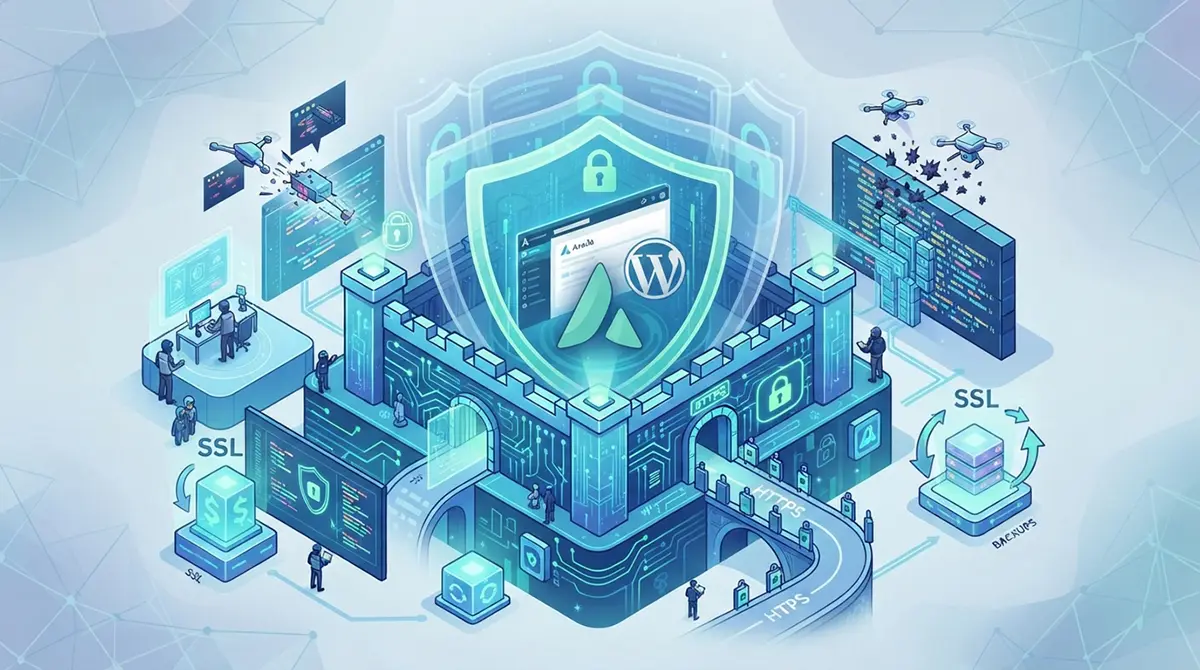



Protecting an Avada-based WordPress website requires a comprehensive, multi-layered security strategy that goes far beyond standard maintenance. Avada is one of the most powerful and feature-rich multipurpose themes available today, offering incredible design flexibility through its integration with the Fusion Builder, WooCommerce support, and an extensive array of pre-built websites and dynamic options. However, this immense power and popularity also make Avada-powered sites a frequent target for automated vulnerability scans, brute-force attacks, and targeted exploits. Because Avada relies on its own robust framework, theme options, and associated plugins, securing it involves not only locking down the WordPress core and your hosting environment but also paying meticulous attention to theme-specific configurations, licensing integrity, and asset management. Neglecting even a single layer of your site architecture can leave an opening for malicious actors to inject malware, compromise administrative privileges, or siphon sensitive customer data. Whether you are running a high-volume e-commerce store, a corporate portfolio, or a dynamic blog, implementing a rigorous security posture is essential to ensure operational continuity, protect your SEO rankings, and maintain absolute trust with your audience.
The Foundation of Security: Choosing the Right Hosting Environment and Server Hardening
The absolute bedrock of any secure WordPress and Avada installation begins at the server level. No matter how many security plugins you install or how strong your passwords are, a compromised server environment will inevitably undermine your efforts. When selecting a hosting provider, you should prioritize managed WordPress hosting or robust virtual private server environments that offer isolated resource pools, proactive intrusion detection, and automatic server-level firewalls. Shared hosting environments, while cost-effective, often leave your site vulnerable to cross-site contamination if a neighboring website on the same server is breached. Your server should be running a modern, actively supported version of PHP, ideally PHP 8.1 or higher, as older versions lack crucial security updates and performance optimizations. Furthermore, your database server, whether MySQL or MariaDB, must be properly tuned and restricted from external access, ensuring that connections are strictly limited to local loopback interfaces or secure, authenticated sockets.
Server-level security also encompasses file system permissions and ownership. Incorrect file permissions are among the leading causes of unauthorized file modifications and malware injections. Directories should generally be set to permission 755, while individual files should be set to 644. Crucially, critical configuration files like wp-config.php should be locked down to 400 or 440 to prevent unauthorized reading by other users on the shared server environment. Additionally, ensuring that your web server, whether Nginx or Apache, is configured to disable directory browsing prevents attackers from easily indexing your file structure and identifying exposed backup files or unmanaged assets. Implementing a secure web application firewall at the server level acts as an initial filter, blocking known SQL injection payloads, cross-site scripting attempts, and distributed denial-of-service traffic before it ever reaches your WordPress application layer.
Securing Core WordPress: Hardening Credentials, Database Prefixes, and System Files
Once your server environment is properly configured, your focus must shift to hardening the WordPress core installation itself. Attackers frequently leverage automated bots that scan the web for default configurations and weak credentials. One of the most effective preventative measures you can take is eliminating default administrator usernames. Accounts named admin or administrator provide half of the login credentials to potential attackers instantly. You should create a unique administrative username and enforce strong, complex passwords that utilize a combination of uppercase and lowercase letters, numbers, and special symbols. To further mitigate brute-force attacks, implementing two-factor authentication for all administrative and editor accounts is non-negotiable. Whether via an authenticator app using time-based one-time passwords or secure email verification, two-factor authentication ensures that even if a password is compromised, unauthorized access remains blocked.
Beyond credentials, hardening the configuration files and database structure adds critical layers of friction for potential intruders. Changing the default database table prefix from the standard wp_ to a unique, randomized string during or after installation significantly impedes automated SQL injection exploits that target default table names. Your wp-config.php file should be moved one directory level above the public HTML root if your server architecture permits, or secured via server directives to block direct HTTP access. Additionally, defining critical security constants inside wp-config.php, such as disabling the built-in file editor to prevent malicious code modifications directly from the WordPress dashboard, is a vital step. Restricting XML-RPC functionality, unless explicitly required by external publishing applications or mobile management tools, helps eliminate a common vector for brute-force amplification attacks and distributed login floods.
Mastering Avada Theme Security: Licensing, Updates, and Asset Management
Because your website relies heavily on the Avada theme and its companion plugins, such as Fusion Builder and Fusion Core, securing these specific components is just as critical as protecting the WordPress core. Avada is a commercial product distributed through ThemeForest, which means it cannot be updated through automated public WordPress repositories in the same manner as free themes. You must link your Avada theme to a valid purchase code within the theme options panel to receive official, secure update notifications and patches. Running an outdated version of Avada or its bundled plugins exposes your site to known vulnerabilities that have already been documented and patched by the developers. Ignoring update notifications in pursuit of design stability is a dangerous gamble that frequently leads to automated exploits targeting legacy codebases.
In addition to keeping Avada updated, you must exercise caution regarding where you source third-party plugins, child themes, and custom code snippets. Nulled or cracked versions of Avada and premium plugins are heavily laced with backdoors, malicious redirects, and hidden spam links designed to compromise your server. Always purchase your software from official channels to guarantee code integrity. When utilizing a child theme for custom CSS, JavaScript, or PHP modifications, ensure that all custom code is thoroughly sanitized and validated to prevent introducing cross-site scripting vulnerabilities. Furthermore, regularly audit your active plugins and remove any extensions that are no longer actively maintained or required for your site functionality, thereby reducing the overall attack surface of your digital ecosystem.
Implementing Comprehensive Web Application Firewalls and Security Plugins
Even with pristine server configurations and updated software, implementing a dedicated WordPress security plugin and web application firewall is essential for real-time monitoring and threat mitigation. A robust security suite acts as your digital watchman, continuously scanning your core files, themes, and plugins against known malware signatures and checksum repositories. If a core file or an Avada theme file is modified unexpectedly, the security scanner should immediately flag the discrepancy and alert you to the potential intrusion. Real-time file integrity monitoring ensures that any unauthorized modifications are detected before they can be leveraged to compromise user data or redirect traffic to malicious destinations.
Firewall configuration is another critical component managed by these security plugins. A robust web application firewall inspects incoming HTTP traffic, blocking malicious requests, bad user agents, and known vulnerability scanners before they consume server resources or reach the application layer. Configuring brute-force protection features within your security plugin to automatically lock out IP addresses after a specified number of failed login attempts effectively neutralizes automated credential stuffing attacks. Furthermore, integrating features like country blocking, if your target audience is strictly localized, can drastically reduce the volume of malicious traffic directed at your login pages and sensitive endpoints.
Secure your online business today with our expert website malware removal and comprehensive website security services in Dubai.
Database Hygiene, Encryption, and Secure Communication Protocols
Protecting the data stored within your MySQL or MariaDB database is paramount, especially if your Avada-based website functions as an e-commerce store utilizing WooCommerce. Customer records, transaction histories, and user credentials represent high-value targets for malicious actors. Securing your database begins with enforcing the principle of least privilege, ensuring that the database user account utilized by WordPress has only the permissions necessary to perform standard operations, rather than full administrative control over the entire database server. Regularly cleaning up database revisions, transient options, and orphaned meta data not only improves overall site performance but also minimizes the footprint of stored data that could potentially be exposed during a breach.
Equally important is the enforcement of secure communication protocols across your entire website. Implementing an SSL certificate to enable HTTPS is no longer optional; it is a fundamental requirement for data privacy and search engine optimization. An SSL certificate encrypts all data transmitted between the user browser and your server, protecting sensitive information such as login credentials, billing details, and personal data from man-in-the-middle interception. Within your WordPress dashboard, ensure that the site address and WordPress address URLs are explicitly configured to use HTTPS, and implement permanent server-level redirects to route all HTTP traffic to the secure protocol. Additionally, implementing HTTP strict transport security headers instructs browsers to interact with your domain exclusively via secure connections, further fortifying your site against protocol downgrade attacks.
The Ultimate Safeguard: Designing and Testing a Robust Backup Strategy
Despite implementing rigorous preventive measures, no website can ever be considered 100 percent immune to security threats, human error, or hardware failure. Therefore, maintaining a comprehensive, automated, and isolated backup strategy is your ultimate safety net. A proper backup routine must include complete copies of both your database and your entire file system, encompassing all Avada theme assets, uploaded media, configuration files, and plugin directories. Relying solely on your hosting provider for backups is insufficient; you should maintain independent backups stored in an off-site location, such as Amazon S3, Google Cloud Storage, or a secure remote server, ensuring that a compromise of your primary hosting account does not also compromise your backup archives.
Backup frequency should directly reflect how often your website content changes. Active e-commerce stores requiring real-time transaction processing demand daily database backups and frequent incremental file backups, whereas static corporate portfolio sites may only require weekly iterations. However, creating backups is only half the battle; regularly testing the restoration process is crucial to ensure data integrity. A backup file that cannot be successfully restored is entirely useless during an emergency. Schedule periodic test restorations on a staging environment to verify that your Avada theme settings, database integrity, and media files remain fully functional after recovery, ensuring minimal downtime in the event of an unforeseen security incident.
Proactive Monitoring, Log Analysis, and Incident Response Planning
Securing an Avada-based WordPress website is not a one-time project, but rather an ongoing, proactive operational discipline. Establishing a routine for monitoring server logs, security plugin audit trails, and traffic anomalies allows you to identify suspicious activities before they escalate into full-scale breaches. Pay close attention to repeated authentication failures, unusual spikes in traffic directed at specific PHP endpoints, and unauthorized attempts to access administrative directories. Utilizing centralized logging tools or automated alerting systems ensures that you are notified immediately when critical security thresholds are breached, enabling rapid intervention and containment.
In the unfortunate event that your website is compromised despite your best preventative efforts, having a well-defined incident response plan can mean the difference between a minor operational hiccup and a catastrophic business failure. Your response plan should outline clear steps for isolating the infected environment, identifying the vector of compromise, purging malicious code injections, and restoring clean files from your verified off-site backups. Following remediation, you must conduct a thorough forensic review to determine how the intrusion occurred, update all administrative and database credentials, and patch the identified vulnerability to prevent reinfection. By combining robust preventive measures, vigilant monitoring, and a resilient backup and response strategy, you can confidently maintain a secure, high-performing Avada-based website that safeguards your brand, your data, and your users.