


Deploying VMware vCenter Server in a production enterprise demands meticulous planning, rigorous architecture design, and precise implementation. As the central management layer for VMware vSphere environments, vCenter Server controls core services such as vSphere High Availability, Distributed Resource Scheduler, vSphere vMotion, and centralized storage operations. A compromised or poorly architected vCenter Server creates systemic operational risks, management blind spots, and single points of failure across your entire virtualization stack.
To achieve maximum performance, security, and operational resiliency, systems administrators and virtualization architects must adhere to proven industry best practices. From sizing and database considerations to networking, high availability, and proactive security hardening, every decision impact how your core infrastructure scales and responds to workloads.
Laying the Architectural Foundation for Enterprise Virtualization
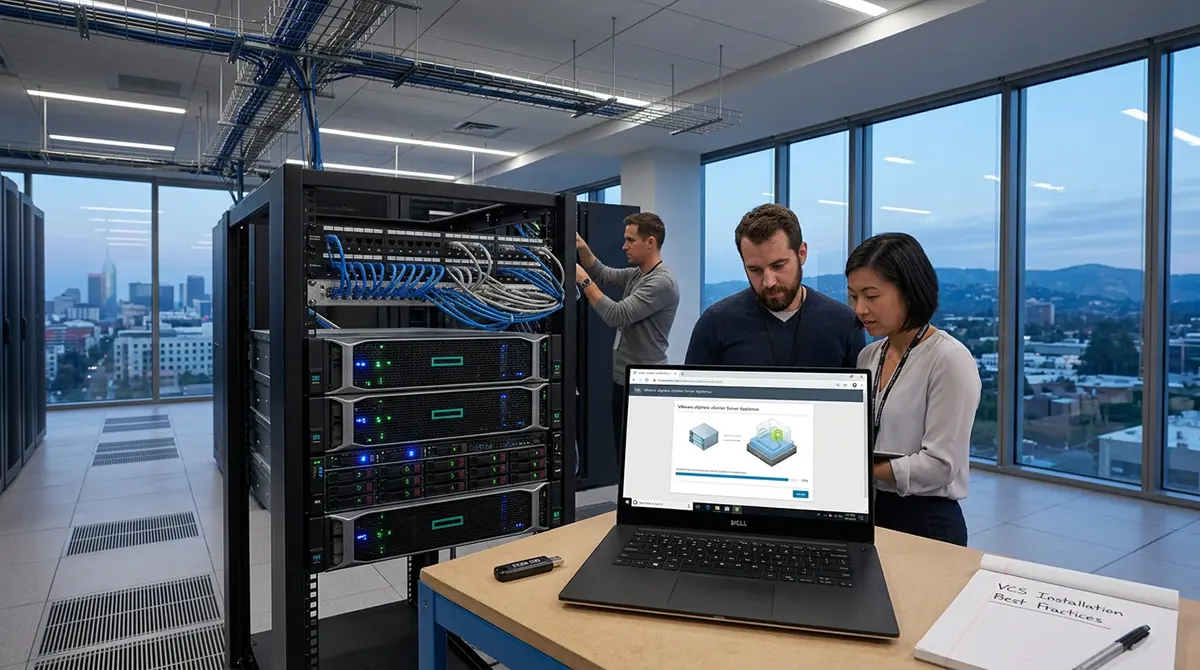
Before initiating the deployment process, you must define the operational scope and capacity requirements of your vSphere environment. Modern vSphere deployments rely exclusively on the vCenter Server Appliance, a pre-configured Linux-based virtual machine built on VMware Photon OS. The legacy Windows-based vCenter Server installation has been fully deprecated, which significantly simplifies OS patching, performance tuning, and resource allocation.
When designing your management layer, separating the management plane from the workload plane is a fundamental architectural best practice. A dedicated management cluster isolated from general production workloads ensures that critical administrative services remain responsive, even during massive compute or memory contention events on application hosts. If a dedicated management cluster is not economically feasible, you should implement strict vSphere Resource Pools and reservation policies to guarantee CPU and memory availability for the vCenter Server Appliance.
Sizing Your Appliance for Growth and Performance
Choosing the correct deployment size during initial setup prevents resource starvation and avoids complex re-sizing procedures later. VMware offers pre-defined deployment sizes ranging from Tiny to Extra Large, each mapped to specific host and virtual machine thresholds. Selecting a size based solely on your current inventory is a common mistake. You must account for expected growth over a three to five-year lifecycle, including anticipated virtual machine density and managed host expansion.
Allocating insufficient memory or CPU resources to the vCenter Server Appliance directly impacts administrative responsiveness, vSphere Client load times, and background task processing. Furthermore, storage sizing requires equal attention. The vCenter Server Appliance utilizes multiple distinct virtual disks for separate mount points, including core OS files, services, logs, metrics, and the embedded PostgreSQL database. Ensuring that storage capacity accounts for historical performance telemetry and log retention policies prevents the embedded database from filling up and halting management services.
Optimizing Storage Allocation and Disk Layout
Storage performance directly dictates how efficiently vCenter processes tasks, collects metrics, and maintains state awareness across thousands of inventory objects. Deploying the vCenter Server Appliance on high-performance flash or NVMe storage tiers is strongly recommended for production environments. Fast underlying storage accelerates inventory queries, host synchronization, and database read and write operations.
Thin provisioning of virtual disks is acceptable and often preferred for storage efficiency, but it requires active capacity monitoring. Disk space exhaustion on the database or log partitions causes immediate service termination. To mitigate this risk, monitor storage utilization closely and configure storage alerts well before partitions reach critical thresholds. Additionally, avoid placing the vCenter Server Appliance on storage arrays that rely on the same vCenter Server for critical operational tasks, preventing circular dependencies during storage outages.
Designing a Resilient and Isolated Management Network
Network topology design plays a crucial role in securing and stabilizing the vCenter Server management layer. The primary network interface of the vCenter Server Appliance must reside on a dedicated, isolated management Virtual Local Area Network. This VLAN should strictly limit administrative traffic, host-to-vCenter communication, and API integration endpoints, preventing general corporate users and external network entities from accessing management interfaces.
Proper Name Resolution is an absolute prerequisite for a successful deployment. Both forward and reverse Domain Name System resolution for the vCenter Server Fully Qualified Domain Name and all managed ESXi hosts must be fully functional prior to installation. Relying on IP addresses or changing the FQDN post-deployment introduces unnecessary operational risk and can cause certificate validation failures, break external integrations, and disrupt node authentication.
Ensuring Time Synchronization Across the Infrastructure
Time synchronization is another non-negotiable prerequisite across all vSphere components. Clock drift between vCenter Server, ESXi hosts, Active Directory domain controllers, and security token services causes subtle, difficult-to-diagnose failures. Authentication tokens expire prematurely, vSphere Single Sign-On operations fail, database transactions desynchronize, and log analysis becomes unreliable during root-cause investigations.
Deploy robust, redundant Network Time Protocol servers across your network infrastructure. Configure the vCenter Server Appliance and every managed ESXi host to synchronize directly with these authoritative NTP sources rather than relying on host-to-guest time synchronization features. Maintaining microsecond-level clock alignment across all nodes protects the integrity of distributed management operations.
Structuring vSphere Single Sign-On and Identity Management
vSphere Single Sign-On serves as the authentication backbone for the entire VMware software-defined data center. Designing an intelligent SSO domain structure during initial setup simplifies access control and federation across multiple management systems. In most production environments, sticking with the default vSphere.local SSO domain name is standard practice while federating identity authentication to an enterprise identity provider.
Direct integration with enterprise identity systems such as Microsoft Active Directory, Active Directory Lightweight Directory Services, or modern identity providers using OpenID Connect enhances security posture. Integrating with centralized identity solutions allows security teams to enforce multi-factor authentication, apply role-based access control, and manage user lifecycles centrally. Avoid granting broad administrator access to identity groups; instead, create custom SSO roles with minimal required privileges to adhere strictly to the principle of least privilege.
Achieving High Availability with vCenter Server HA
In production environments, management plane availability is just as vital as application uptime. vCenter Server High Availability protects the management layer against hardware, host, and software failures by configuring a three-node cluster consisting of an Active node, a Passive node, and a Witness node.
The Active node continuously mirrors its state and PostgreSQL database to the Passive node over a low-latency vCHA network. If the Active node fails or loses connectivity, the Passive node automatically assumes the management identity with minimal downtime and zero data loss. The Witness node acts as a tie-breaker to prevent split-brain scenarios. Implementing vCenter Server HA requires low latency across the dedicated vCHA network, ideally under ten milliseconds, and proper physical or logical anti-affinity rules to ensure the three nodes reside on separate physical ESXi hosts.
Implementing Proactive Backup and Disaster Recovery Strategies
While vCenter Server HA provides protection against local hardware and software faults, it does not replace a comprehensive disaster recovery and backup strategy. Production environments require automated, file-based backups generated directly from the vCenter Server Appliance Management Interface. File-based backup extracts the core configuration, database, inventory, and identity state into a lightweight package without requiring snapshot-based virtual machine backups.
Schedule native file-based backups to run daily or multiple times per day, transmitting encrypted backup files over secure protocols such as FTPS, SFTP, or HTTPS to an offsite or isolated backup repository. Test the restoration workflow periodically in a non-production environment. Knowing how to deploy a fresh appliance shell and restore state from a file-based backup package reduces Recovery Time Objectives dramatically during a catastrophic site loss.
Leveraging Modern DevOps Practices for Infrastructure Deployment
Enterprise infrastructure management has evolved beyond manual point-and-click operations. Applying automation, infrastructure as code, and continuous integration concepts to virtualization management improves consistency, eliminates human error, and accelerates deployment timelines. Automating vCenter installation via JSON configuration files and CLI installation scripts allows engineering teams to programmatically spin up identical, standardized management layers across multiple data centers.
Organizations expanding their hybrid cloud capabilities or scaling operations internationally often partner with expert external specialists to refine their deployment pipelines. Implementing robust CI/CD routines for virtual machine provisioning, host configuration, and network policy enforcement aligns IT operations with modern cloud standards. Engaging tailored DevOps Services in Dubai or other global technology hubs helps organizations automate compliance auditing, streamline configuration management, and build resilient infrastructure workflows that scale effortlessly.
Hardening Security and Enforcing Compliance
Out-of-the-box vCenter configurations prioritize ease of initial deployment over maximum security lockdown. Once installation concludes, security teams must systematically harden the appliance against unauthorized access and vulnerability exploitation. Start by applying strict network firewall rules directly on the vCenter Server Appliance to restrict incoming connections to known administrative subnets and monitoring systems.
Enforce robust cryptographic standards by replacing default self-signed SSL/TLS certificates with certificates issued by an trusted Enterprise Certificate Authority or commercial vendor. Secure communications prevent man-in-the-middle attacks and eliminate security browser warnings for administrators. Additionally, disable deprecated TLS protocols, enforce strong cipher suites, configure session timeout limits for the vSphere Client, and forward all system and audit logs to a centralized Security Information and Event Management platform for real-time analysis.
Proactive Monitoring, Logging, and Maintenance Routines
Maintaining high performance over time requires continuous observability and systematic maintenance. The vCenter Server Appliance Management Interface on port 5480 offers deep insights into CPU, memory, database partition health, and service statuses. Integrating vCenter metrics with enterprise monitoring suites via SNMP or dedicated API adapters provides automated alerting before performance degrades.
Log management is equally vital for operational stability. Set appropriate logging levels across vCenter components, balancing detailed troubleshooting data with storage consumption. Avoid leaving components in verbose or debugging mode indefinitely, as high-volume logging fills storage partitions rapidly. Systematically review security logs, failed login attempts, and task histories to detect suspicious activity or failing background jobs.
Managing Lifecycle Updates and Upgrade Paths
Patch management for vCenter Server is a critical operational workflow. VMware regularly releases security patches, bug fixes, and feature updates for the vCenter Server Appliance. Because vCenter controls the ESXi hosts, the management layer must always be updated to an equal or higher version than the hosts it manages.
Before applying updates or version upgrades, review release notes for known issues, verify third-party software compatibility, such as backup agents and monitoring plugins, and create a native file-based backup alongside an ephemeral virtual machine snapshot. Execute updates during scheduled maintenance windows, and delete virtual machine snapshots promptly once update success is verified. Regular patching preserves system stability, protects against zero-day exploits, and maintains vendor support compliance.
Adhering to these foundational principles transforms vCenter Server from a potential single point of failure into a resilient, scalable, and secure management platform capable of supporting mission-critical enterprise workloads.