


WordPress powers over forty percent of the entire web, making it a primary target for cybercriminals, automated botnets, and malicious hackers. Whether you run a personal blog, an e-commerce platform, or an enterprise service site, experiencing a security breach can lead to severe reputational, financial, and operational damage. Many website owners assume that a hack will always be obvious, such as a site defacement featuring a dramatic message. However, modern cyber attacks are frequently subtle, quiet, and designed to persist without detection for as long as possible.
Recognizing the early warning signs of a security compromise is essential for mitigating damage, safeguarding user data, and restoring normal operations. Below is a comprehensive breakdown of fifteen critical warning signs that indicate your WordPress site has been hacked, alongside actionable insights into what these indicators mean for your security posture.
1. Unintended Site Redirections
One of the most frequent indicators of a compromised WordPress installation is forced or unwanted redirection. Visitors clicking on your link in search engine results or typing your domain directly into their browser bar may find themselves redirected to spam websites, illegal online pharmacies, online casinos, or phishing pages.
Hackers achieve this by inserting malicious JavaScript code into your theme files, core files, or database tables, or by altering configuration files such as
.htaccess. In many cases, these redirects are configured conditionally using conditional logic. For example, they may only trigger for mobile users, or only for visitors arriving from Google search results, while leaving direct visits unaffected to delay detection by the site administrator.2. Google and Browsers Marking Your Site as Unsafe
Security scanners operated by major search engines and web browsers constantly inspect pages across the web for malware, phishing scripts, and deceptive practices. If Google Safe Browsing, Microsoft SmartScreen, or popular antivirus plugins flag your site, visitors will see alarming full-screen warnings such as “The site ahead contains malware” or “Deceptive site ahead.”
This occurs when automated crawlers detect malicious scripts, unauthorized file downloads, or phishing forms hosted on your server. Beyond scaring away your visitors immediately, having your domain blacklisted by Google or major security providers leads to severe search engine penalties and a dramatic loss of organic web traffic.
3. Unexpected Drops or Sudden Spikes in Website Traffic
Sudden, unexplained anomalies in your web analytics dashboard often point toward background security issues. A sudden, dramatic drop in organic traffic usually indicates that search engines have detected malware on your site and de-indexed your pages or marked them as dangerous, prompting users to turn away.
Conversely, a sudden massive spike in traffic—especially traffic originating from unusual geographic locations or displaying near-zero engagement—can signal that your server is being leveraged for malicious activity. Compromised WordPress environments are frequently integrated into automated botnets, used to proxy illicit traffic, or deployed as launching pads for distributed denial-of-service (DDoS) attacks against other networks.
4. Inability to Log Into the WordPress Admin Dashboard
Finding yourself locked out of your own WordPress administrative area (wp-admin) is a direct, urgent red flag. Hackers who gain access to an administrative account often change the password and email address associated with the account to lock out legitimate administrators and preserve their access.
In other scenarios, malicious scripts corrupt core WordPress authentication files or exhaust server resources so heavily that authentication attempts time out entirely. If standard password reset procedures fail because the reset email never arrives or the associated email address has been modified without your consent, your administrative user table has likely been compromised.
5. Creation of Unknown Administrative User Accounts
Regularly auditing the user roster in your WordPress control panel is a vital security habit. If you discover active accounts with administrator permissions that you or your team did not explicitly create, your site has almost certainly been breached.
Attackers often create hidden backdoors by injecting unauthorized administrative profiles into the WordPress database. These accounts frequently feature random character usernames, generic disposable email domains, or deceptive names meant to blend in with legitimate system accounts. These user profiles allow attackers to maintain administrative privilege even if you update your primary password.
Protect and power your digital presence with Dubai’s leading experts in website malware removal dubai and comprehensive website maintenance support dubai.
6. Mysterious Files and Folders on Your Web Server
Malicious actors require execution pathways to maintain control over a hijacked site, execute remote commands, or serve spam content. Consequently, they drop rogue files into your directory structure, particularly within locations like
wp-content/uploads, wp-includes, or the root directory.These rogue files often feature unusual, randomized names (such as
x23a9.php) or mimic standard core file names with slight misspellings (such as wp-settmgs.php instead of wp-settings.php). If you inspect your file server via SFTP or file manager and discover unfamiliar .php files inside directories meant exclusively for images or media uploads, malicious code execution is actively taking place.7. Modified Core WordPress Files
Core WordPress files—such as
index.php, wp-config.php, functions.php, or .htaccess—are primary targets for code injection. Attackers edit these foundational files to insert obfuscated code snippets (often encoded using base64 formatting) that load external scripts, create hidden backdoors, or tamper with standard routing.If file integrity monitoring security plugins alert you that core system files have been modified or do not match the official hashes provided by the WordPress repository, unauthorized modifications have taken place. Core files should remain unaltered during normal operation; custom code should always reside in dedicated plugins or child themes.
8. Defacement of Webpages and Unfamiliar Content
Site defacement is the most obvious, indisputable sign of a cyber attack. Defacement occurs when hackers completely replace your home page or inner pages with their own imagery, political statements, brand logos, or taunts targeting your security posture.
While defacement is loud and immediately obvious, subtle defacement is far more common today. Attackers may quietly modify header bars, footers, or blog posts to include unwanted links, promotional text for unauthorized merchandise, or hidden spam keywords that leech your site’s search engine authority for their own gain.
9. SEO Spam and Strange Search Engine Results
Search engine optimization (SEO) spam—frequently referred to as the Japanese Keyword Hack or Pharma Hack—is an insidious compromise where attackers inject thousands of spam pages into your site structure. These pages are populated with content related to counterfeit goods, adult material, or illegal online storefronts.
Because these pages are generated dynamically or hidden from logged-in site owners, you may not notice them by simply browsing your homepage. However, searching for your domain in Google using search operators (such as
site:yourdomain.com) will reveal hundreds or thousands of index entries displaying foreign characters, gibberish URLs, or commercial spam descriptions.10. Emails Sent from Your Server Going to Spam or Getting Blocked
When a server is compromised, attackers often leverage its mailing functions (such as PHP
mail() or local Postfix/Sendmail instances) to send millions of outbound spam emails or phishing blasts to external victims.If your legitimate business communications, transaction receipts, or password reset emails suddenly land in recipient spam folders or get rejected outright by major email service providers, your server IP address has likely been flagged and added to global email blacklists. Investigating your mail transfer logs will usually confirm a flood of unauthorized outbound messages originating from your web hosting account.
11. Unexplained Server Resource Exhaustion and Sluggish Performance
While slow page loading speeds can stem from unoptimized images or excessive plugins, a dramatic, overnight decline in performance often points to malicious server activity.
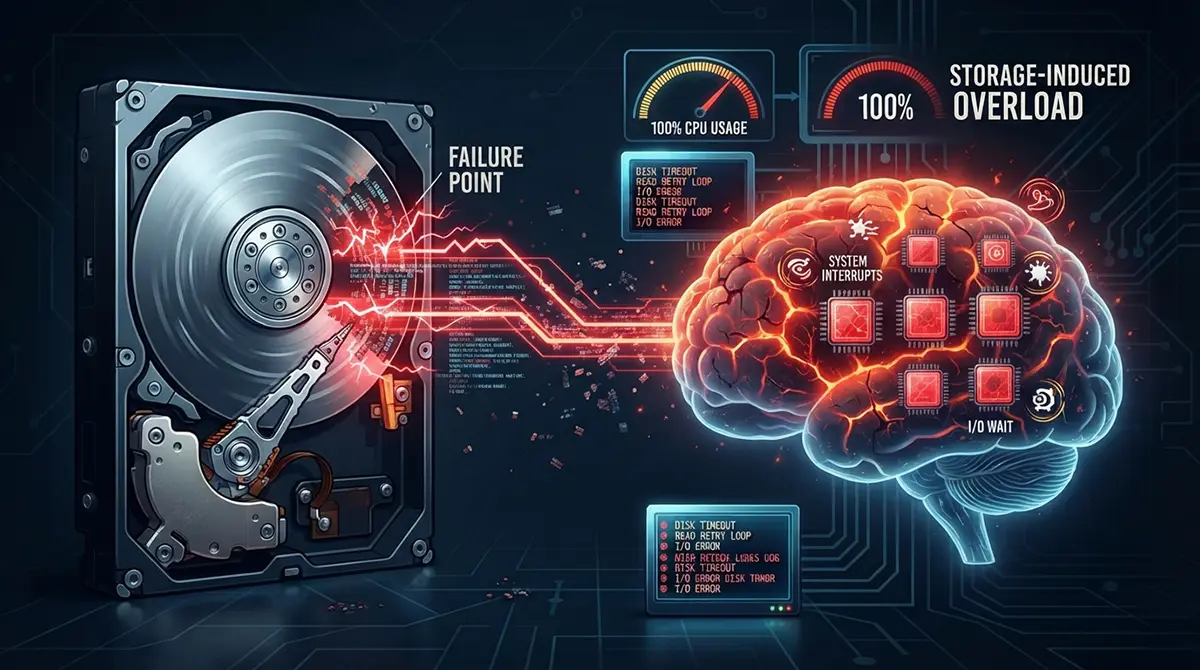
Malicious background processes—such as automated database scrapers, unauthorized crypto-mining scripts, or outbound brute-force attacks targetting other servers—consume extensive CPU cores and memory allocations. If your hosting control panel indicates that your account is consistently hitting memory limits, process thresholds, or bandwidth quotas without corresponding legitimate web traffic, background malware is likely overwhelming your server resources.
12. Broken Site Layouts, PHP Errors, and White Screens
Cybercriminals do not always write flawless code. When malicious scripts are injected into theme files, plugin files, or core functions without proper testing or compatibility checks, they frequently trigger severe technical failures.
Symptoms of poor malware implementation include:
-
The appearance of critical PHP error messages, warnings, or fatal notices at the top or bottom of your site.
-
Entire sections of your page layout breaking or failing to load assets correctly.
-
The dreaded “White Screen of Death” where your website renders as a completely blank white page for both administrators and public visitors.
When unexpected fatal errors occur immediately after suspicious security activity, broken malware injection is a prime suspect.
13. Security Plugins Triggering Urgent Alerts
Installing security monitoring tools (such as Wordfence, Sucuri, iThemes Security, or MalCare) provides a vital first line of defense. When these tools detect file modifications, modified checksums, unauthorized administrative log-ins, or known malware signatures, they raise immediate system alerts.
Ignoring automated alerts from reputable security plugins is a critical mistake. Warnings regarding modified core files, modified
.htaccess rules, or new execution scripts within media uploads should always be treated as active breaches until investigated and cleared by a system administrator or web security specialist.14. Broken, Disabled, or Non-Functioning Security Tools
Sophisticated malware routines are engineered to defend themselves against detection and removal. Upon successfully breaching a WordPress installation, advanced scripts actively search for popular security plugins and disable them, corrupt their configuration files, or prevent their automated scans from running.
If you attempt to open your security plugin dashboard and discover that the interface fails to load, background scans refuse to complete, or the plugin has been silently deactivated without administrator intervention, malware is actively working to neutralize your defensive measures.
15. Strange Pop-Ups, Unauthorized Ads, and Rogue External Scripts
If your website begins displaying intrusive pop-up ads, flashing banner notifications, or unwanted browser prompts asking users to download software updates or push notifications, your frontend layout has been compromised.
Attackers inject third-party ad-network scripts or malicious JavaScript assets into your database or header templates. These scripts monetize your traffic by serving aggressive advertisements or attempting to trick your visitors into downloading adware, ransom software, or browser hijackers. Because these scripts are hosted externally, they can dynamically alter their output to evade traditional backend file scanners.
Summary of Immediate Remediation Steps
If you observe one or more of these fifteen warning signs on your WordPress site, taking immediate, structured action is critical to limit exposure and recover your environment:
-
Place the website in maintenance mode to protect visitors and prevent further exposure of sensitive user data.
-
Change all system credentials immediately, including WordPress admin accounts, database access passwords, FTP/SFTP accounts, SSH keys, and hosting control panel log-ins.
-
Isolate the site by taking a complete file and database backup for forensic inspection, then scan the server using reputable security utilities or dedicated malware removal services.
-
Restore clean core files, update all plugins and themes to their latest patched versions, and remove any unrecognized user accounts, themes, or plugins.
-
Inspect database tables directly (such as
wp_options,wp_users, andwp_posts) for unauthorized JavaScript tags, base64 encoded strings, or injected user records. -
Submit review requests to search engine security portals (such as Google Search Console) to remove safe-browsing warnings and restore search engine indexing once cleanup is fully complete.
Maintaining proactive server hardening, enforcing strong password requirements, requiring multi-factor authentication, enforcing strict file permissions, and keeping all software components updated remain the most reliable defenses against future security incidents.