


Introduction: The Heart of the Virtualized Enterprise
In the modern enterprise architecture, the virtualization layer serves as the bedrock upon which compute, storage, and networking resources are orchestrated. At the absolute center of this intricate digital ecosystem sits VMware vCenter Server. As the centralized management utility for VMware vSphere environments, vCenter Server holds the keys to the kingdom. It dictates the lifecycle of virtual machines, manages cluster resource allocation, enforces security policies, and orchestrates high availability and migration workflows. Because of its supreme authority over the data center, vCenter Server is naturally one of the most high-value targets for malicious actors, advanced persistent threats, and opportunistic cybercriminals.
Securing this pivotal component is no longer a routine checklist item to be completed once and forgotten; it is an ongoing, dynamic discipline requiring deep architectural understanding, rigorous operational discipline, and continuous compliance monitoring. A compromise of vCenter Server does not merely mean the loss of a single virtual machine or a localized workload; it spells total structural collapse, granting an adversary unfettered administrative access to every hypervisor, virtual network, and enterprise application hosted within the infrastructure.
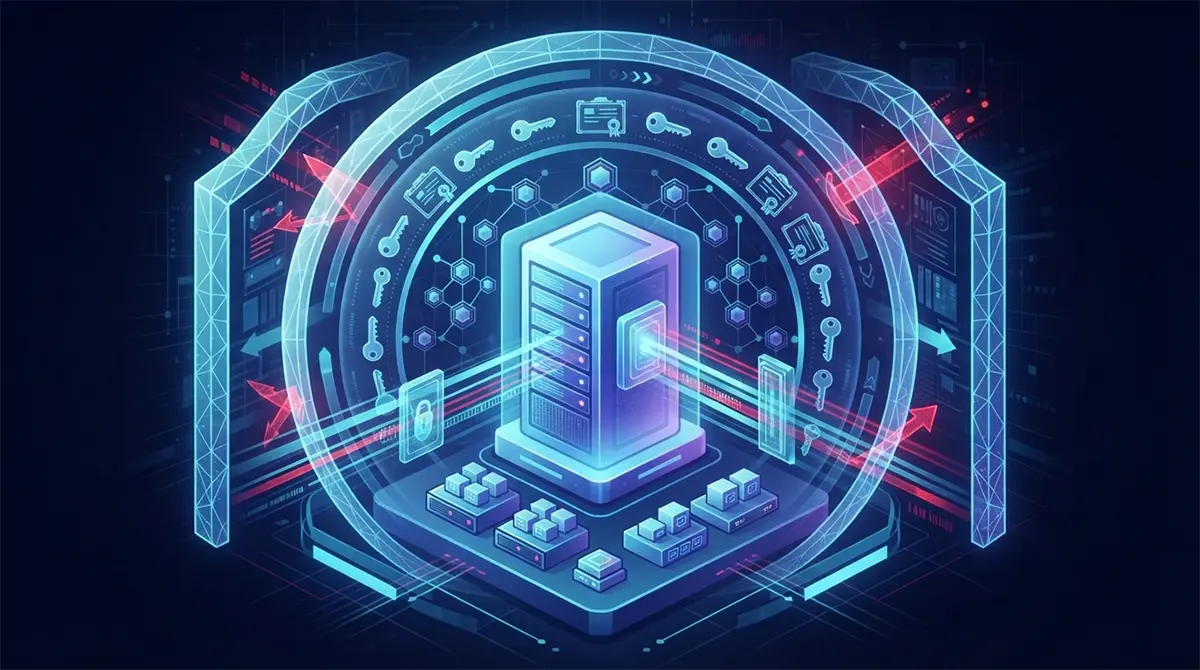
Hardening vCenter Server demands a multi-layered defense-in-depth strategy. It requires administrators to look beyond the default configurations out of the box and deliberately implement stringent controls spanning network security, identity and access management, cryptographic integrity, continuous logging, and rigorous patch management lifecycles. This comprehensive guide explores every critical dimension of vCenter Server hardening, offering actionable insights and architectural best practices to transform your management plane into an impenetrable fortress.
Architectural Isolation: Designing a Secure Management Perimeter
The first line of defense in any robust security strategy begins long before a single configuration setting is tweaked within the vCenter application interface; it begins at the network architecture level. vCenter Server should never, under any circumstances, be directly accessible from untrusted networks, the public internet, or even standard corporate local area networks where endpoint compromises are statistically more likely to occur.
To achieve true architectural resilience, organizations must isolate the management plane into a dedicated, highly restricted Virtual Local Area Network (VLAN) or a secure management zone. This dedicated management network should feature strict firewall boundaries, allowing only explicitly authorized administrative workstations, monitoring systems, and backup appliances to communicate with vCenter Server. Furthermore, inter-VLAN routing between the general user networks and the management zone must be heavily filtered, inspected, and monitored for lateral movement attempts.
When deploying vCenter Server Appliance (VCSA), administrators should carefully evaluate the deployment topology. Historically, external Platform Services Controller (PSC) architectures introduced unnecessary complexity and broader attack surfaces. VMware’s consolidation of the PSC into vCenter Server itself has greatly simplified deployments while simultaneously enhancing security. Ensure that all deployments utilize this modern, embedded architecture to minimize the number of independent nodes that require hardening, certificate management, and patch application.
Identity and Access Management: Enforcing the Principle of Least Privilege
Identity is the new security perimeter, and nowhere is this truer than in a virtualized infrastructure. The vCenter Single Sign-On (SSO) domain manages authentication and authorization across the entire vSphere environment. If an attacker manages to compromise a high-privileged user account, technical network isolation and firewall rules become largely irrelevant. Therefore, hardening the identity and access management framework is paramount.
The foundational rule of identity security is the strict enforcement of the Principle of Least Privilege (PoLP). Every administrator, operator, and automated service account must be granted only the exact permissions required to perform their specific job functions, and nothing more. Global administrative accounts should be reserved for emergency break-glass scenarios and should never be used for day-to-day operational tasks.
To operationalize least privilege effectively, organizations must leverage custom roles within vCenter rather than relying on default built-in roles such as Administrator. By tailoring roles to specific duties—such as a backup operator who can only read configuration data and trigger snapshots, or a network engineer who can only manage distributed switches—you drastically reduce the blast radius of a compromised credential.
In addition to granular role-based access control (RBAC), authentication mechanisms must be fortified. Single-factor username and password authentication is inherently vulnerable to credential stuffing, brute-force attacks, and social engineering. Implementing Multi-Factor Authentication (MFA) for all vCenter Server logins is an absolute non-negotiable requirement for modern enterprise security. vCenter Server supports integration with enterprise identity providers via Active Directory, LDAP, and OpenID Connect or SAML 2.0 identity providers such as Okta, Azure AD, or Ping Identity. Integrating MFA at the identity provider level ensures that every administrative session is cryptographically validated through a second factor, such as a hardware security key, authenticator application push notification, or biometric verification.
Furthermore, local accounts—especially the default
administrator@vsphere.local account—should be closely monitored and subjected to strict password rotation policies. Whenever possible, operational tasks should be delegated to domain accounts mapped via Active Directory or LDAP identity sources, allowing centralized password complexity rules, lockout policies, and lifecycle tracking to govern administrative access. For organizations seeking to integrate advanced identity workflows, automation, and continuous compliance pipelines into their operational model, partnering with experts who provide specialized DevOps Services in Dubai can help streamline secure, automated identity federation and credential rotation across multi-cloud environments.Cryptographic Integrity: Mastering Certificate Management
Cryptographic certificates form the invisible backbone of trust within a vCenter Server environment. They secure communications between vCenter and ESXi hosts, internal microservices, external APIs, and client web browsers. Out of the box, vCenter Server utilizes the VMware Certificate Authority (VMCA) to generate self-signed certificates. While functional, relying entirely on default self-signed certificates leaves the environment vulnerable to man-in-the-middle (MitM) attacks, certificate spoofing, and compliance failures.
Hardening vCenter certificate management involves transitioning from default self-signed certificates to trusted certificates issued by a corporate Public Key Infrastructure (PKI) or a recognized commercial Certificate Authority (CA). This transition ensures that all internal and external TLS/SSL handshakes are cryptographically verified against a trusted root of trust.
When replacing vCenter certificates, administrators have two primary approaches:
-
Utilizing VMCA as an Intermediate CA: In this model, the internal VMCA is configured to generate its signing certificate from your enterprise Microsoft CA or third-party CA. This allows VMCA to continue automatically issuing and renewing certificates for ESXi hosts and internal vCenter services while ensuring all certificates ultimately trace back to a trusted enterprise root.
-
Replacing with Custom Certificates: Administrators can manually generate and replace the machine SSL certificate and solution user certificates using custom Certificate Signing Requests (CSRs) processed by the enterprise PKI. While this approach offers granular control, it requires diligent tracking of certificate expiration dates to prevent sudden service outages.
Regardless of the approach chosen, establishing a proactive certificate monitoring schedule is essential. Expired certificates will immediately break communication between vCenter and its managed ESXi hosts, resulting in disconnected hosts, failed automated migrations, and disrupted monitoring tools. Automated alerting mechanisms should be configured to notify security and infrastructure teams at least sixty days prior to any certificate expiration event.
Network Hardening and Firewall Configuration
Even within a dedicated management VLAN, vCenter Server must be locked down at the operating system and application network layer. The vCenter Server Appliance runs a hardened, stripped-down version of Photon OS, which minimizes the operating system attack surface by removing unnecessary packages, shells, and system utilities. However, network-facing ports and services must still be meticulously managed.
vCenter Server relies on a vast array of network ports for communication with ESXi hosts, storage systems, Active Directory domains, and administrative clients. Leaving unnecessary ports open introduces potential vectors for reconnaissance and exploitation. Administrators should consult official VMware port matrices and ensure that enterprise firewalls—as well as the built-in vCenter software firewall—are configured to permit only explicitly required traffic.
Key network hardening steps include:
-
Disabling Unused Services: Review running services within the vCenter Appliance Management Interface (VAMI) and disable any protocol or service that is not actively required for business operations.
-
Restricting SSH and Shell Access: Secure Shell (SSH) and Bash shell access to the VCSA should be disabled by default. These services should only be temporarily enabled during active troubleshooting or maintenance windows, and access should be restricted via public-key authentication rather than static passwords.
-
Enforcing Strict Lockdown Mode on ESXi Hosts: While hardening vCenter, one must not overlook the hosts it manages. Enabling strict lockdown mode on all ESXi hosts ensures that direct local or remote access via the DCUI (Direct Console User Interface) or local ESXi Shell is completely disabled for all users except designated break-glass accounts, forcing all administrative actions to flow exclusively through the hardened vCenter control plane.
-
Configuring Secure Cipher Suites: Ensure that the vCenter Server is configured to accept only modern, secure TLS cipher suites (TLS 1.2 and TLS 1.3), explicitly deprecating legacy protocols such as SSLv3, TLS 1.0, and TLS 1.1, along with weak or export-grade encryption ciphers.
Auditing, Logging, and Continuous Monitoring
Security hardening is fundamentally incomplete without robust visibility. If an unauthorized user breaches your perimeter or an insider attempts malicious activity, comprehensive audit logs provide the forensic evidence required to detect, contain, and investigate the incident. vCenter Server generates extensive logs covering user logins, permission changes, inventory modifications, API calls, and system events.
However, storing logs locally on the vCenter Server Appliance is a critical security anti-pattern. If an attacker gains administrative control over vCenter, one of their first actions will typically be to clear or tamper with local log files to cover their tracks. To prevent log manipulation, all vCenter logs must be systematically forwarded in real-time to a centralized, write-once-read-many (WORM) Security Information and Event Management (SIEM) platform or a dedicated syslog server located outside the management zone.
Key auditing best practices for vCenter Server include:
-
Real-Time Log Forwarding: Configure syslog forwarding within the VAMI to stream logs securely using encrypted TLS transport to your enterprise SIEM solution.
-
Behavioral Monitoring and Alerting: Establish automated alert rules in your SIEM for high-risk vCenter events, such as the creation of new administrator accounts, modifications to global permissions, sudden spikes in failed login attempts, changes to ESXi firewall rules, or the export of sensitive configuration data.
-
Regular Log Reviews: Security operations teams should conduct periodic audits of vCenter administrative activity reports to ensure that all actions align with change management tickets and authorized maintenance windows.
-
Integration with IT Service Management: Link critical vCenter security alerts directly to incident response ticketing systems to ensure immediate triage and remediation of anomalous administrative behaviors.
Patch Management and Vulnerability Lifecycle
Software vulnerabilities are an inevitable reality of complex enterprise IT systems. Even with world-class architectural isolation, robust identity management, and strict firewall configurations, an unpatched vulnerability in vCenter Server can provide attackers with remote code execution capabilities. Establishing a rigorous, agile, and disciplined patch management lifecycle is therefore mandatory for maintaining a secure posture.
VMware regularly releases patches, security advisories (VMSAs), and hotfixes to address newly discovered vulnerabilities in vCenter Server. Organizations must establish a structured cadence for evaluating and applying these updates. Waiting months to patch critical infrastructure leaves a massive window of opportunity for threat actors exploiting known Common Vulnerabilities and Exposures (CVEs).
An effective vulnerability management lifecycle for vCenter Server incorporates the following stages:
-
Threat Intelligence and Subscription: Subscribe directly to VMware Security Advisories and industry threat feeds to receive immediate notifications regarding newly disclosed vulnerabilities affecting vCenter Server and Photon OS.
-
Staging and Testing: Before deploying patches directly to production environments, test updates in a non-production staging environment that closely mirrors the production topology. This ensures that patch application does not inadvertently disrupt third-party integrations, backup plugins, or monitoring agents.
-
Change Management and Execution: Schedule maintenance windows during off-peak hours to apply patches systematically. Always capture a fresh, file-based backup and a cold snapshot or image-level backup of the vCenter Server Appliance immediately prior to initiating any update process.
-
Post-Patch Validation: Verify that all services restart successfully, check cluster health status, and validate that integration with external identity providers and backup tools remains fully functional.
Maintaining this level of operational diligence requires dedicated resources and technical proficiency. In instances where internal IT teams face resource constraints or complex multi-tier upgrade challenges, partnering with reliable technology partners who deliver the Best tech support dubai can ensure that patches, major upgrades, and emergency security remediations are executed flawlessly without introducing operational downtime or configuration drift.
Backup, Disaster Recovery, and Business Continuity
No discussion of security hardening is complete without addressing resilience. Hardening seeks to minimize the probability of a successful breach or system failure, but mature risk management dictates that organizations must also prepare for the worst-case scenario. If a vCenter Server appliance suffers catastrophic corruption, ransomware encryption, or administrative misconfiguration, the ability to recover rapidly is the ultimate safeguard.
vCenter Server provides a native, file-based backup mechanism specifically designed to protect the appliance configuration, database, and internal certificates. Unlike traditional image-level virtual machine backups—which can sometimes introduce database consistency issues or snapshot overhead when dealing with active vCenter database engines—native file-based backups export the vCenter configuration data into compressed packages that can be securely stored offsite.
To ensure comprehensive disaster recovery readiness, organizations must adhere to these backup guidelines:
-
Automated Daily Backups: Configure vCenter to perform automated native file-based backups on a daily schedule, ensuring that configuration changes are captured regularly.
-
Secure Offsite Target Storage: Ensure backup archives are transferred securely via protocols such as SFTP or FTPS to an isolated, immutable backup repository that is inaccessible from the primary management network, protecting backup data from ransomware propagation.
-
Encryption at Rest: Ensure that all backup archives are encrypted using strong cryptographic keys before transmission and storage.
-
Regular Restoration Testing: A backup that has never been tested is merely a false sense of security. Conduct scheduled disaster recovery drills in an isolated test environment to validate that backup archives can be successfully restored within acceptable Recovery Time Objectives (RTO) and Recovery Point Objectives (RPO).
Conclusion: Cultivating a Culture of Continuous Compliance
Hardening VMware vCenter Server is not a static destination, but rather an ongoing journey of vigilance, adaptation, and continuous improvement. As threat vectors evolve, automated attack tools become more sophisticated, and enterprise infrastructures grow increasingly complex, the mechanisms protecting our control planes must adapt in tandem.
By implementing strict architectural isolation, enforcing granular identity management with multi-factor authentication, maintaining rigorous cryptographic hygiene, securing network attack surfaces, enforcing real-time audit logging, maintaining disciplined patch lifecycles, and ensuring resilient backup strategies, organizations can establish a formidable defense around their virtualization core.
Ultimately, technology controls alone are insufficient. Cultivating a security-first organizational culture where administrators understand the critical importance of least privilege, change control, and proactive monitoring is the true differentiator. Through a combination of robust technical hardening and unwavering operational discipline, enterprises can ensure that VMware vCenter Server remains a secure, reliable, and trusted foundation for their digital future.