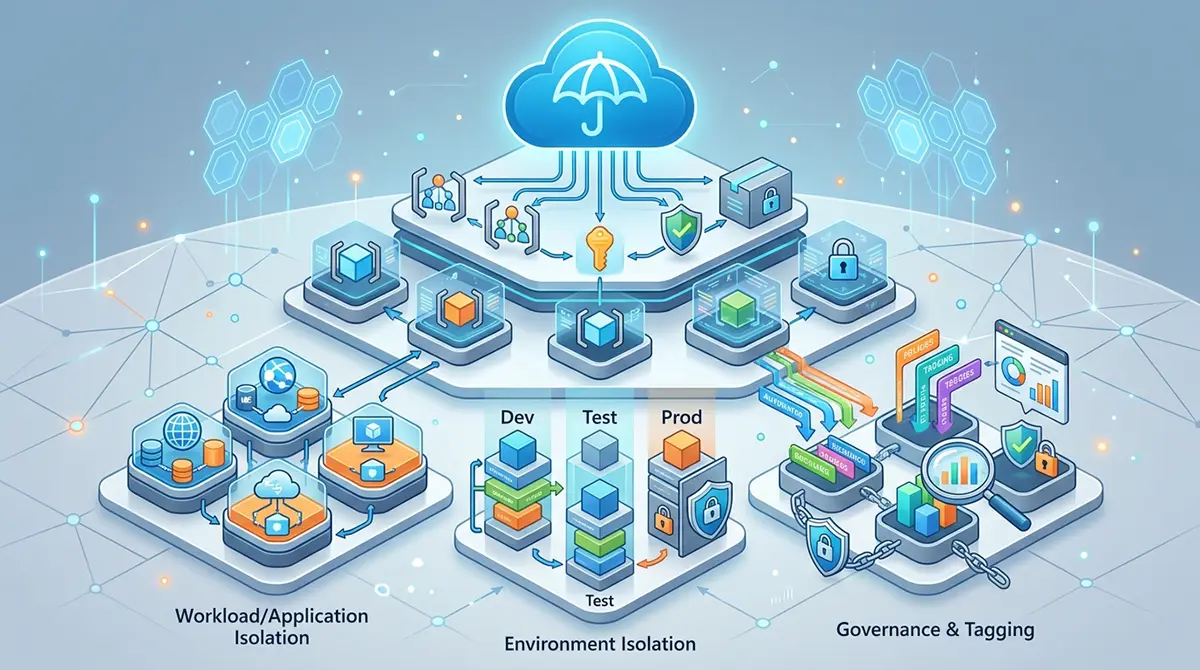



The cloud transformed enterprise architecture by replacing static physical hardware with elastic, programmable infrastructure. On Microsoft Azure, every virtual machine, database, storage account, and networking component must reside within a foundational container known as an Azure Resource Group. A resource group acts as a logical lifecycle boundaries that unifies related resources for administration, governance, and billing. While creating a resource group requires only a few clicks, designing a cohesive organization strategy across an entire enterprise demands deep strategic planning. Without structured standards, organizations quickly succumb to resource sprawl, orphaned assets, security vulnerabilities, and cost overruns.
Building a well-architected cloud footprint requires viewing resource groups not merely as organizational folders, but as strategic boundaries for access control, billing attribution, deployment velocity, and security policy enforcement. Implementing robust management standards ensures that cloud infrastructure remains adaptable, secure, and clear. Whether deploying workloads across international regions or leveraging local cloud centers for compliance, enterprise architecture must align business goals with cloud governance mechanisms.
The Role of Resource Groups in Cloud Governance
To build a scalable cloud architecture, engineers must understand how Azure Resource Groups fit into the broader management hierarchy. Azure structures management across four distinct levels: management groups, subscriptions, resource groups, and individual resources. Management groups provide scope for policy enforcement across multiple subscriptions, while subscriptions act as primary boundaries for billing and identity delegation. Resource groups sit directly below subscriptions, serving as the immediate operational boundary for deployed assets.
+-------------------------------------------------------------------+
|                         Management Groups                         |
|      (Global governance, policies, and enterprise compliance)      |
+-------------------------------------------------------------------+
                                  |
                                  v
+-------------------------------------------------------------------+
|                            Subscriptions                          |
|             (Billing boundaries, quotas, and identity limits)     |
+-------------------------------------------------------------------+
                                  |
                                  v
+-------------------------------------------------------------------+
|                           Resource Groups                         |
|   (Lifecycle boundary, RBAC, deployments, and security scope)     |
+-------------------------------------------------------------------+
                                  |
                                  v
+-------------------------------------------------------------------+
|                         Individual Resources                      |
|         (VMs, VNets, Storage Accounts, SQL Databases, App Services) |
+-------------------------------------------------------------------+
A core principle of resource group design is the shared lifecycle rule. Resources placed within the same resource group should share an identical operational lifecycle. This means they are created together, updated together, monitored together, and deleted together. Placing assets with diverging lifecycles inside a single container creates management friction and increases the risk of accidental deletion during maintenance operations.
Resource groups do not lock assets into rigid geographic locations. While a resource group requires a designated Azure region to store its metadata, the individual resources contained inside it can span different global regions. This distinction is critical for high-availability and disaster recovery architectures, allowing a single management container to hold redundant resources deployed across paired Azure regions.
Core Strategies for Organizing Resource Groups
Selecting the right organizational framework depends on your company size, regulatory requirements, operational model, and deployment speed. Successful organizations generally adopt one of four primary design patterns, or blend them into a tailored hybrid model.
                   ORGANIZATION STRATEGIES
                              |
     +------------------------+------------------------+
     |                        |                        |
     v                        v                        v
[ Environment-Based ]    [ Application-Based ]    [ Business Unit ]
  - Dev/Test/Prod          - App + Dependencies     - Finance/Marketing
  - Shared Governance      - Microservices          - Cost Attribution
  - Simple Isolation       - Independent Lifecycles - Clear Ownership
Environment-Based Structuring
Environment-based isolation is the most common entry point for cloud governance. Resources are grouped according to their deployment stage, such as Development, Testing, Staging, and Production.
-
Production Isolation: Production resource groups enforce strict Role-Based Access Control policies, restrictive network rules, and audit logging.
-
Non-Production Flexibility: Development and testing groups allow broader developer permissions, experimental configurations, and aggressive automated shutdown schedules to reduce spend.
-
Security Segmentation: Isolating environments into distinct resource groups prevents accidental updates or script execution in production while testing non-production features.
Application and Workload-Centric Organization
An application-centric model structures resource groups around specific software solutions or microservices. All components supporting a single workload reside together, regardless of resource type.
-
Unified Application Stack: A web application resource group contains its front-end App Service, back-end API, database instances, and private key vaults.
-
Simplified Decommissioning: When a service or application reaches end-of-life, deleting the resource group instantly cleans up all dependent infrastructure, preventing orphan assets from incurring charges.
-
Targeted CI/CD Pipelines: Deployment tools like Azure DevOps or GitHub Actions map directly to specific application resource groups, limiting deployment permissions to target environments.
Business Unit and Cost Center Grouping
For large enterprises requiring strict financial accountability, organizing resource groups by business unit, division, or internal cost center streamlines chargeback reporting.
-
Direct Chargeback: Allocating resource groups to divisions like Marketing, Human Resources, or Engineering simplifies cost attribution in cost management dashboards.
-
Delegated Administration: Business unit leads receive administrative control over their respective resource groups while core central IT retains global policy control at the subscription level.
-
Operational Autonomy: Independent business units deploy project-specific resources without risking operational friction with parallel business divisions.
Hybrid Architectural Frameworks
Most complex enterprises eventually mature beyond single-dimension models and adopt a hybrid approach. A hybrid strategy combines environment, application, and governance boundaries to build resilient landing zones.
For instance, an enterprise might organize subscriptions by business unit, create environment-based resource groups within those subscriptions, and tag assets by application name. This multi-layered structure maintains granular control while providing operational agility.
Security, Access Control, and Governance
Resource groups are central to implementing Role-Based Access Control and enforcing security policies across cloud assets. Defining permissions at the resource group level ensures consistent security controls across all nested infrastructure.
       AZURE GOVERNANCE AND RBAC INHERITANCE

       Subscription Scope
       └── [Policy: Deny Unencrypted Storage]
           |
           └── Resource Group Scope (Production-RG)
               └── [RBAC: Contributor = App Ops Team]
                   |
                   ├── Virtual Network (Inherits Contributor + Policy)
                   ├── App Service     (Inherits Contributor + Policy)
                   └── SQL Database    (Inherits Contributor + Policy)
Role-Based Access Control Principles
Azure RBAC allows administrators to grant precise permissions to users, security groups, and service principals. Applying RBAC at the resource group level provides multiple security benefits:
-
Principle of Least Privilege: Grant users access only to the resource groups required for their immediate responsibilities, preventing unauthorized access to sensitive systems.
-
Group-Based Assignment: Assign roles to Azure Active Directory (Azure AD / Entra ID) security groups rather than individual user accounts to simplify onboarding and offboarding.
-
Inheritance Management: Access rights assigned at the resource group level automatically cascade down to every contained resource, eliminating manual permission management.
Enforcing Policy and Compliance
Azure Policy enforces enterprise standards and assesses compliance across resource groups. Assigning policy definitions at the resource group level ensures targeted enforcement.
-
Region Restrictions: Enforce policies that restrict resource deployments exclusively to approved Azure regions to comply with data residency regulations.
-
Naming and Tagging Standards: Require specific tags, such as CostCenter or Owner, before any new resource deployment is accepted by Azure Resource Manager.
-
SKU Restrictions: Block expensive virtual machine SKUs or unapproved database tiers in non-production resource groups to avoid budget overruns.
Resource Locks and Safeguards
Accidental deletion of critical resources presents a major risk to operational stability. Azure Resource Locks provide an extra layer of protection at the resource group boundary.
-
CanNotDelete Locks: Authorized users can read and modify resources, but cannot delete the resource group or its nested assets.
-
ReadOnly Locks: Prevents any updates or modifications to resources within the group, serving as a freeze mechanism for sensitive production systems.
-
Governance Automation: Integrate lock creation into automated deployment pipelines so production resource groups receive protection immediately upon creation.
Resource Group Lifecycle Management and Automation
Managing resource groups efficiently requires automation, version control, and consistent lifecycle governance. Relying on manual deployments through the Azure Portal inevitably introduces configuration drift and errors.
               CI/CD AUTOMATION FLOW

  +------------------+         +-------------------+
  | Bicep / Terraform| ------> | Azure DevOps /    |
  | Templates        |         | GitHub Actions    |
  +------------------+         +-------------------+
                                         |
                                         v
                               +-------------------+
                               | Azure Resource    |
                               | Manager (ARM)     |
                               +-------------------+
                                         |
                                         v
                               +-------------------+
                               | Target Resource   |
                               | Group Deployment  |
                               +-------------------+
Infrastructure as Code Integration
Modern cloud management relies on Infrastructure as Code to define and provision resource groups alongside their contained workloads. Declarative platforms ensure consistent environments across all deployment stages.
-
Modular Declarative Templates: Write modular Bicep or Terraform code that defines the resource group, applies required tags, assigns RBAC roles, and provisions core services in a single workflow.
-
Source Control Management: Maintain infrastructure templates in repository systems like Git, enabling version control, code reviews, and audit trails for infrastructure updates.
-
Automated Validation: Execute static code analysis and policy checks against templates prior to deployment to catch compliance issues early in the pipeline.
Continuous Integration and Continuous Deployment
Integrating resource group management into CI/CD pipelines ensures rapid, reliable, and repeatable infrastructure provisioning.
-
Ephemeral Testing Environments: Automatically create dedicated resource groups for pull requests, execute integration tests, and destroy the entire resource group once testing completes.
-
Environment Parity: Deploy identical resource group configurations across Development, Staging, and Production to reduce environment-specific bugs.
-
Service Principal Scoping: Scope deployment credentials to specific target resource groups, ensuring automated deployment scripts cannot access unrelated cloud infrastructure.
Decommissioning and Cleanup Automation
Accumulating unused resource groups inflates cloud spend and complicates administrative oversight. Implementing automated lifecycle workflows keeps cloud environments clean.
-
Scheduled Shutdowns: Run automated scripts that identify and delete short-lived research or sandbox resource groups after a set expiration period.
-
Orphaned Resource Detection: Periodically audit resource groups to identify containers missing active workloads, unattached disks, or unlinked network interfaces.
-
Standardized Teardown: Delete entire resource groups rather than individual assets to guarantee complete removal of all associated resources, network interfaces, and storage artifacts.
Regional Governance and Global Scale
As enterprises scale globally, managing resource groups across multiple geographic regions requires balancing latency, high availability, and strict regulatory compliance.
Organizations expanding operations into specialized cloud regions must ensure their deployment strategies align with localized sovereignty laws. Utilizing microsoft azure uae offers public sector entities and enterprises low-latency access to cloud services while keeping data within local borders. Setting up resource groups within these regional data centers ensures metadata and operational assets comply with regional data residency standards.
Companies navigating these cloud transformations often partner with expert advisors. Leveraging technology optimization consulting in uae helps enterprises establish robust governance frameworks, optimize workloads, and avoid costly architectural errors during cloud migrations.
Data Residency and Metadata Placement
Every resource group requires a designated deployment region during creation. This setting specifies where the resource group’s operational metadata is stored.
-
Metadata Sovereignty: Ensure the resource group’s metadata location complies with data governance laws, particularly when working in highly regulated industries.
-
Control Plane Resilience: Select reliable regional pairs for resource group metadata to maintain management access even during localized regional outages.
-
Resource Distribution: Place global or multi-region application dependencies within a centrally managed resource group, while keeping localized application assets within region-specific containers.
Strategic Resource Naming and Tagging Conventions
Enforcing predictable naming conventions and metadata tags transforms resource groups from generic containers into searchable, self-documenting assets.
       RECOMMENDED NAMING AND TAGGING STRUCTURE

  Resource Group Name: rg-finance-prod-ae-001
  │                    │  │       │    │  └── Index/Sequence
  │                    │  │       │    └───── Region (e.g., UAE East)
  │                    │  │       └---------- Environment (Production)
  │                    │  └------------------ Business Unit / Application
  │                    └--------------------- Resource Type Identifier
  │
  Required Metadata Tags:
  ├── Environment : Production
  ├── CostCenter  : CC-8902
  ├── Owner       : ops-team@company.com
  └── Application : Core-ERP
Standardized Naming Frameworks
A clear naming standard allows engineers and automated tools to identify the purpose, scope, and ownership of a resource group at a glance.
-
Structured Format: Use a standardized syntax such as
rg-[business unit/application]-[environment]-[region]-[index]. For example,rg-finance-prod-uaeeast-001. -
Character Constraints: Ensure names follow Azure naming restrictions, avoiding spaces, special characters, or illegal symbols.
-
Lowercase Consistency: Adopt a uniform lower-case convention with hyphens to prevent casing issues across different command-line tools and automation platforms.
Comprehensive Metadata Tagging
Tags consist of key-value pairs assigned directly to resource groups. While tags do not inherit down to nested resources automatically, applying them at the resource group level provides essential organizational visibility.
-
Financial Tracking Tags: Apply
CostCenter,Department, andProjectCodetags to simplify expense allocation and billing verification. -
Operational Management Tags: Use
Owner,SupportTeam, andMaintenanceWindowtags to route alerts and schedule automated patch management. -
Data Classification Tags: Include
Confidentiality,DataCompliance, andEnvironmentTypetags to drive automated policy and security controls.
Cost Optimization and Financial Management
Resource groups play a vital role in cloud cost management by providing clear boundaries for monitoring, budgeting, and chargeback tracking.
             RESOURCE GROUP COST MANAGEMENT

  +-------------------------------------------------+
  |                  Subscription                   |
  +-------------------------------------------------+
                           |
       +-------------------+-------------------+
       |                                       |
       v                                       v
  +-----------------------+               +-----------------------+
  | Resource Group: App-A |               | Resource Group: App-B |
  | Budget Limit: $5,000  |               | Budget Limit: $2,000  |
  +-----------------------+               +-----------------------+
       |                                       |
       v                                       v
  [ Cost Analysis & Alerts ]             [ Cost Analysis & Alerts ]
  - 80% Threshold Alert                  - 80% Threshold Alert
  - Automated Action Group               - Automated Action Group
Granular Budget Allocation
Setting budgets at the resource group level prevents runaway cloud spending by alerting teams before costs exceed forecasts.
-
Targeted Spend Thresholds: Configure Azure Cost Management budgets directly on high-utilization resource groups to send automated alerts at specified spending percentages.
-
Action Group Integration: Connect cost alerts to Azure Logic Apps or Webhooks to trigger automated spending controls, such as scaling down dev environments when budgets are exceeded.
-
Anomaly Detection: Track daily spend anomalies at the resource group level to catch misconfigured resources, runaway loops, or unassigned IP addresses before billing cycles end.
Consolidated Cost Analysis
Using resource groups as billing aggregators simplifies financial reporting across multi-tenant environments.
-
Departmental Billing Views: Export cost reports filtered by resource group names to give department managers transparent views into their infrastructure footprint.
-
Shared Services Allocation: Place shared infrastructure, such as ExpressRoute circuits or domain controllers, in dedicated resource groups and distribute costs using custom tagging rules.
-
Third-Party Integration: Export detailed resource group billing telemetry to enterprise financial systems or cloud financial tools for unified multi-cloud tracking.
Common Antipatterns and Mistakes to Avoid
Even experienced cloud architects can fall into common structural traps when designing resource group frameworks. Avoid these frequent design mistakes to maintain a healthy, scalable cloud environment.
The Monolithic Resource Group
Placing an entire enterprise cloud footprint into a single, massive resource group is a recipe for operational gridlock.
-
Management Bottlenecks: A single container leads to cluttered views, poor searchability, and confusing access permissions.
-
Blast Radius Exposure: Applying a configuration update or running a deployment script in a monolithic group increases the risk of damaging unrelated services.
-
Deployment Throttling: Azure limits the rate of deployment operations per resource group. Overloading a single group can cause automated deployment scripts to fail due to API throttling.
Extreme Resource Fragmentation
Creating a separate resource group for every individual resource creates excessive administrative overhead.
-
Excessive Complexity: Managing hundreds of micro-resource groups makes tracking relationships, dependencies, and network topologies overly complicated.
-
Permission Fatigue: Granular RBAC permissions must be mapped across dozens of tiny groups, leading to permission drift and inconsistent access rights.
-
Loss of Lifecycle Integrity: When closely linked assets are split across multiple groups, team members lose sight of shared dependencies, leading to orphaned resources.
Misaligned Lifecycles
Mixing temporary, short-lived development assets with permanent production infrastructure inside the same resource group creates major operational risk.
-
Accidental Deletion: Running cleanup scripts to remove temporary testing assets can inadvertently delete critical production dependencies.
-
Inconsistent Security Controls: Relaxed security permissions required for rapid development can expose sensitive production systems in the same resource group.
-
Distorted Metrics: Combining temporary and permanent assets inside one group skews monitoring metrics, alerting thresholds, and financial tracking.
Best Practices Checklist for Architecture Teams
To ensure long-term architectural success, run through this checklist when establishing or auditing your Azure Resource Group framework:
               ENTERPRISE GOVERNANCE CHECKLIST

  [ ] Establish Lifecycle Alignment
      └── Ensure all resources in a group share creation/deletion cycles.

  [ ] Define RBAC Granularity
      └── Assign roles to Entra ID groups at the resource group level.

  [ ] Enforce Automated Policy
      └── Apply region, SKU, and tagging rules via Azure Policy.

  [ ] Implement Resource Protection
      └── Apply CanNotDelete locks on all production resource groups.

  [ ] Standardize Naming and Tagging
      └── Enforce lowercase, hyphenated naming and standard cost tags.

  [ ] Automate Lifecycle Workflows
      └── Deploy, manage, and destroy resource groups via IaC pipelines.
-
Define Lifecycle Boundaries First: Group resources based strictly on their shared deployment, operational, and decommissioning schedules.
-
Enforce RBAC at the Group Scope: Grant permissions to security groups rather than individual users at the resource group boundary.
-
Apply Lock Protections to Production: Protect production resource groups from accidental deletion using
CanNotDeleteresource locks. -
Mandate Infrastructure as Code: Deploy and manage all resource groups declaratively using Bicep, Terraform, or Azure Resource Manager templates.
-
Enforce Standard Naming and Metadata: Implement strict naming conventions and require cost tracking tags via Azure Policy.
-
Set Cost Thresholds and Budget Alerts: Establish proactive financial monitoring at the resource group level to maintain budget accountability.
-
Audit and Clean Up Ephemeral Groups: Continuously scan environments for abandoned, orphaned, or expired resource groups to keep your cloud footprint lean and secure.
Building a Scalable Foundation
Azure Resource Groups are far more than passive organizational folders. They form the core structural foundation for lifecycle management, security enforcement, role-based access control, and financial governance across Microsoft Azure.
By stepping away from ad-hoc provisioning and embracing structured design strategies—whether environment-based, application-centric, or hybrid models—organizations build a solid framework for cloud scale. Combining clear naming standards, comprehensive metadata tagging, automated deployment pipelines, and strict policy enforcement ensures that your Azure environment remains secure, compliant, and cost-effective as your organization grows.