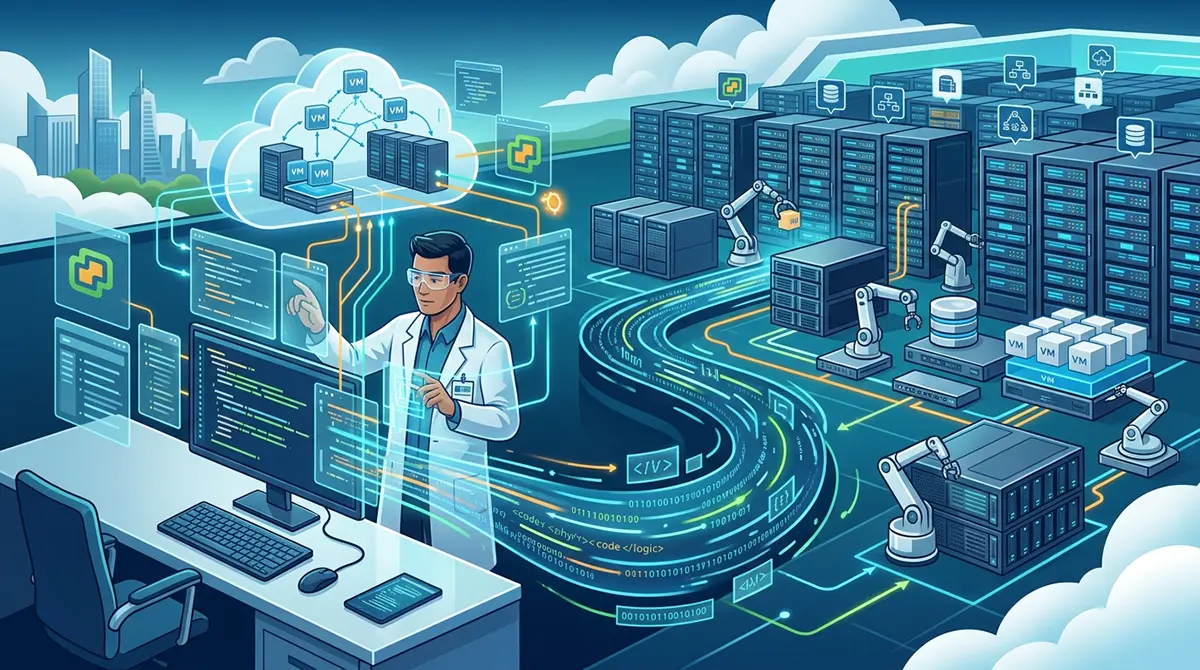



The VMware vCenter Automation SDK stands as a critical bridge between modern IT operations and dynamic cloud environments. As organizations scale their infrastructure to meet unpredictable demands, managing virtual machines and resources manually becomes inefficient and prone to error. The SDK transforms vCenter Server from a traditional management console into a programmable engine capable of orchestrating complex infrastructure tasks through clean, structured software interfaces. By standardizing API access across multiple programming languages, VMware enables developers and system administrators to automate deployment, monitoring, and maintenance workflows seamlessly.
Understanding the mechanics of the VMware vCenter Automation SDK requires stepping back to examine the architecture of vCenter Server itself. Centralized management is the core value proposition of vCenter, allowing admins to control thousands of ESXi hosts and tens of thousands of virtual machines from a single pane of glass. However, human operators interacting with a graphical user interface cannot match the speed, precision, and repeatability of code-driven automation. The vCenter Automation SDK addresses this gap by exposing the RESTful services and APIs of vCenter, turning every operational action, from provisioning storage to configuring virtual networks, into programmatic calls.
The modern incarnation of the VMware vCenter SDK focuses heavily on REST APIs, reflecting a major shift from legacy SOAP-based interfaces. While VMware previously relied on the vSphere Web Services API, which involved complex Object-Oriented SOAP endpoints, the modern vSphere Automation SDK simplifies developer interaction through lightweight JSON payloads and predictable REST resource paths. This modernization drastically reduces the barrier to entry for operational teams. Engineers no longer need deep expertise in complex vSphere object graphs to execute basic tasks like starting a virtual machine or retrieving host metrics.
Selecting the right language binding is often the first step in leveraging the Automation SDK. VMware officially supports several key languages, ensuring that teams can work within their existing development paradigms. Python remains the most popular choice for infrastructure engineers due to its readable syntax and vast ecosystem of networking and automation libraries. Java caters to enterprise software developers who build deep, robust integrations into corporate portals. Other supported environments include PowerCLI, which acts as a PowerShell wrapper around the underlying APIs, as well as Go and C-sharp bindings designed for high-performance software tooling.
Authentication and session management form the foundation of any script or application built using the vCenter Automation SDK. Before executing any management operations, the client code must negotiate a secure session with the vCenter Server. This typically involves exchanging credentials or API tokens for a session identifier via the vCenter REST authentication endpoints. Once authenticated, the session token is included in the headers of subsequent requests. Proper session management also requires explicit cleanup, ensuring that inactive sessions are closed to prevent security vulnerabilities and unnecessary resource consumption on the vCenter host.
Virtual machine lifecycle management represents the most frequent use case for the SDK. Creating, updating, and destroying virtual assets programmatically allows organizations to treat infrastructure as code. Through the SDK, developers can define virtual machine configurations, including CPU counts, memory allocations, network adapters, and storage backings, using structured data structures. Once defined, a single API call triggers vCenter to provision the virtual machine on an appropriate ESXi host, apply network configurations, and power on the guest operating system without any manual intervention.
To appreciate the practical power of the vCenter Automation SDK, it helps to examine how an automated virtual machine deployment unfolds. A typical workflow begins with querying available resources within a cluster, such as Datastores and Virtual Distributed Switches, to ensure adequate capacity. Next, the script selects an existing template or Content Library item to serve as the base image. The SDK then submits a cloning request, attaching custom customization specifications to automatically assign hostname, IP address, and domain join parameters to the new virtual machine during boot.
Beyond simple creation and deletion, managing day-to-day virtual machine states is a core strength of the SDK. Operations like hot-plugging CPU or RAM, creating snapshot trees before software updates, and triggering graceful operating system shutdowns can all be scripted and scheduled. By integrating these SDK calls into pipeline triggers, software development teams can automatically spin up isolated testing environments, execute integration tests, and tear down the infrastructure immediately afterward, minimizing resource waste and optimizing hardware utilization.
Networking and storage automation inside vCenter present unique challenges due to their underlying complexity, but the SDK abstracts these details effectively. Through the SDK, administrators can programmatically create distributed port groups, configure VLAN tags, assign security policies, and manage vMotion interfaces. On the storage side, the API allows for dynamic creation of Datastores, management of Storage DRS clusters, and monitoring of capacity thresholds, ensuring that applications always have access to high-performing, resilient storage tiers.
The Content Library feature within vSphere is another area where the Automation SDK shines. Content Libraries serve as central repositories for virtual machine templates, ISO images, and vApp templates, allowing organizations to maintain consistency across multiple vCenter instances and geographic locations. Through the SDK, engineers can programmatically sync templates across regions, deploy new virtual machines directly from Content Library items, and automatically update base OS images whenever security patches are released.
Security and Access Control can be fully orchestrated using the vCenter SDK. Infrastructure automation is only as strong as its security posture, and managing roles and permissions manually across dozens of vCenter servers leads to configuration drift. Using the SDK, security teams can define fine-grained Role-Based Access Controls, audit user activities, rotate credentials, and ensure that service accounts operate strictly under the principle of least privilege. Automating permissions ensures that temporary access granted for specific maintenance tasks is reliably revoked when work completes.
Integrating vCenter automation into broader enterprise operations often requires connecting the SDK with modern continuous integration and continuous deployment pipelines. By incorporating SDK scripts into platforms like Jenkins, GitLab CI, or GitHub Actions, teams can treat entire vSphere environments as deployment targets for software applications. This approach enables true Infrastructure as Code, where configuration changes to the virtual environment are version-controlled, code-reviewed, and deployed automatically through established testing pipelines.
Organizations that operate globally often look to external technical expertise to refine their continuous delivery pipelines and operational strategies. Many businesses seeking to modernize their enterprise IT strategy engage with specialized firms offering DevOps Services in Dubai to build robust, scalable infrastructure automation across hybrid cloud landscapes. Modernizing virtualized environments requires a balance between legacy stability and agile delivery, making expert guidance invaluable when refactoring monolithic infrastructure management into streamlined API workflows.
High Availability and Resource Optimization can also be managed programmatically using the vCenter Automation SDK. While vSphere features like DRS and HA operate autonomously once configured, the SDK allows administrators to dynamically adjust cluster settings based on business logic. For example, during off-peak hours, a custom script can interact with the SDK to consolidate workloads onto fewer ESXi hosts and trigger power management tasks on idle hardware, directly reducing energy consumption and operational expenses.
Monitoring and Event Handling represent another powerful frontier for SDK usage. The vCenter Automation SDK provides endpoints for querying system tasks, long-running operations, and historical performance metrics. Instead of waiting for users to report slow application performance, automated monitoring scripts can periodically pull CPU, memory, and disk latency metrics directly from vCenter. If metrics cross predefined thresholds, the script can proactively reallocate resources or alert engineering teams before end users experience degradation.
The vCenter Automation SDK also supports handling long-running operations asynchronously. Tasks such as cloning a multi-terabyte virtual machine or migrating a workload across datastores take significant time to complete. Rather than blocking execution, the SDK returns a task reference ID. Developers can poll the status of this task ID, register event handlers, or continue executing independent code paths while vCenter processes the request in the background, ensuring that automation scripts remain responsive and efficient.
Error Handling and Resilience must be built into every automation script that relies on the vCenter SDK. Network glitches, host maintenance windows, and resource exhaustion can cause API calls to fail unexpectedly. Robust code should handle specific SDK exceptions gracefully, implement retry logic with exponential backoff for transient network issues, and include clear logging mechanisms to aid in troubleshooting. Building resilient automation prevents partial deployments and reduces administrative overhead when unexpected conditions arise.
Comparing the vSphere Automation SDK with other VMware management tools helps clarify its unique role. Tools like PowerCLI provide a higher-level command-line experience suited for rapid administrative scripting, whereas Terraform and Ansible use declarative configurations to manage state. Under the hood, however, many of these tools rely directly on the lower-level REST APIs exposed by the vSphere Automation SDK. Understanding the SDK directly empowers developers to build bespoke applications, custom administrative portals, and integrations that go beyond the capabilities of off-the-shelf tools.
The transition to Hybrid Cloud environments has further expanded the relevance of the vCenter Automation SDK. VMware Cloud on AWS, Azure VMware Solution, and Google Cloud VMware Engine all utilize standard vCenter Server management layers. This architectural consistency means that scripts written using the vCenter Automation SDK to manage on-premises virtual machines can often be used to manage cloud-hosted VMware workloads with minimal modification, providing a unified management model across hybrid architectures.
Looking to the future, VMware continues to expand the capabilities of the vSphere Automation SDK, aligning it closely with modern containerized workloads and cloud-native standards. With the integration of Kubernetes into vSphere via VMware Tanzu, the SDK now exposes endpoints for managing vSphere Native Pods, Kubernetes clusters, and persistent storage volumes alongside traditional virtual machines. This evolution ensures that the vCenter SDK remains central to modern IT operational strategies as enterprise workloads continue to evolve.
Mastering the VMware vCenter Automation SDK requires a combination of software engineering discipline and deep virtualization domain knowledge. By treating infrastructure management as a software problem, organizations can accelerate software delivery cycles, eliminate manual operational bottlenecks, and maintain tighter control over resource security and efficiency. Whether automating daily virtual machine maintenance or orchestrating multi-region cloud deployments, the vCenter Automation SDK delivers the foundational interfaces needed to build a modern, software-defined enterprise data center.