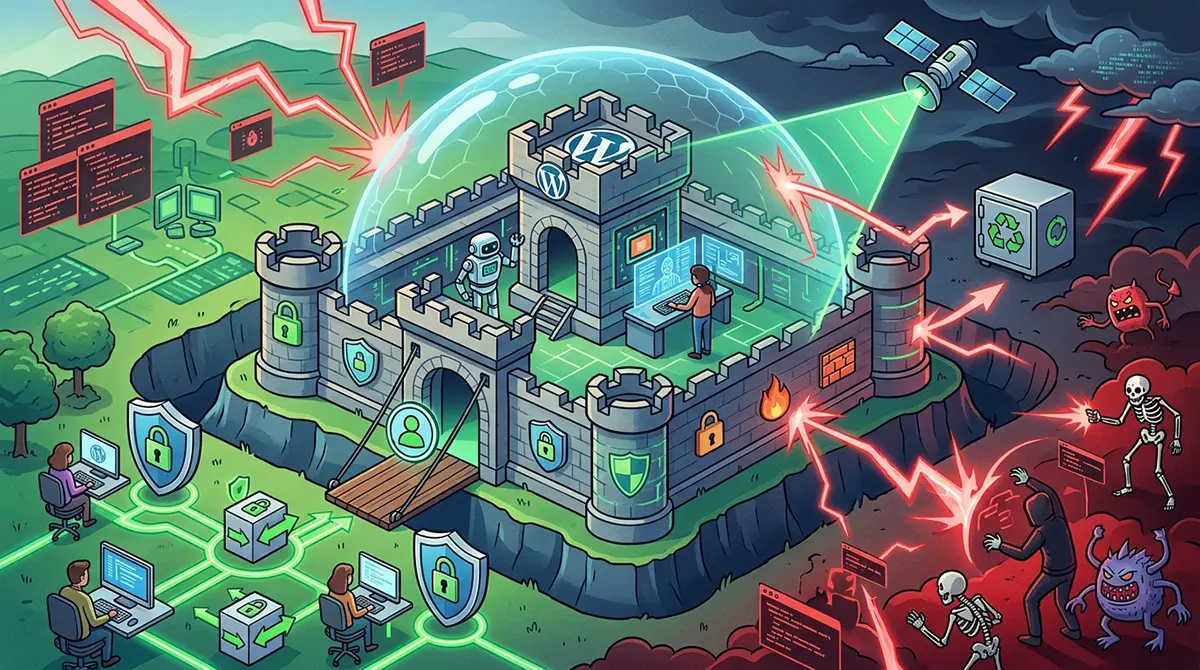



Securing a WordPress website requires a comprehensive, proactive strategy rather than a reactive patch applied after a breach occurs. Because WordPress powers a vast portion of the global web, it serves as an attractive target for automated botnets, malicious scripts, and opportunistic hackers. A compromised site can lead to stolen user data, search engine blacklisting, damaged brand reputation, and significant operational downtime. Protecting your online presence demands an end to end security workflow that addresses host level defenses, core management, user access controls, real time monitoring, and swift incident response.
Fortifying the Core Foundation: Hosting, Updates, and System Hygiene
Security begins at the server level long before a single line of code executes within WordPress itself. Choosing a hosting environment built with isolated account containers, proactive firewalls, and server side malware scanning creates a sturdy baseline. Standard shared hosting environments often expose adjacent sites to cross site contamination, meaning a single vulnerable site on a server can compromise every neighboring account. Opting for managed WordPress hosting ensures that your environment receives server level optimization, automated security patches, and isolation measures designed specifically to neutralize threats before they reach your application level files.
Keeping the WordPress core software, themes, and plugins consistently updated remains the single most effective action you can take to prevent malware infections. Security research consistently demonstrates that the vast majority of successful WordPress compromises exploit known vulnerabilities in outdated themes and plugins. Developers frequently release updates to patch security flaws discovered through routine auditing. When you delay updates, you leave known entry points completely open to automated scripts scanning the web for unpatched code.
To maintain continuous system hygiene without breaking site functionality, implement a disciplined updates workflow:
-
Enable automatic background updates for minor core security releases to ensure immediate patch deployment.
-
Maintain a dedicated staging environment where major core updates, theme updates, and plugin updates can be tested for compatibility before going live.
-
Schedule weekly maintenance windows to inspect, test, and deploy pending updates to your live production environment.
-
Audit installed plugins quarterly and permanently remove any extension that is deactivated, unsupported, or no longer actively maintained by its developer.
Hardening Authentication and Managing User Access
Weak credentials and poorly configured user privileges account for an immense number of unauthorized site takeovers. Brute force attacks routinely bombard login forms with millions of common password combinations, relying on sheer volume to find a weak entry point. Enforcing robust authentication protocols immediately neutralizes automated credential guessing and severely restricts an attacker’s ability to gain administrative access.
Every account with access to your WordPress dashboard must be required to use strong, randomly generated passwords. Never retain default terms like admin or administrator for account usernames, as these give attackers half of the login credentials right out of the gate. If your site currently utilizes a default admin username, create a new administrator account with a unique handle, reassign all existing content to that new user, and completely delete the original default profile.
Multi-factor authentication adds a vital secondary defense layer to your login portal. By requiring a temporary time based code generated by a mobile authenticator app alongside standard credentials, you render stolen or guessed passwords entirely useless to an attacker. Additionally, limiting login attempts prevents brute force tools from endlessly querying your authentication form by automatically blocking IP addresses after a set number of failed attempts.
Beyond initial access, strict adherence to the principle of least privilege ensures that users receive only the administrative rights necessary to complete their specific tasks:
-
Assign the Subscriber, Customer, or Contributor role to users who only need to consume content, manage personal profiles, or submit drafts.
-
Reserve the Editor role for content managers who need to publish and manage posts but do not require access to site settings, themes, or plugins.
-
Limit Administrator privileges strictly to core technical managers who require complete system control.
-
Conduct monthly access reviews to downgrade permissions for inactive team members and instantly revoke access for former employees or contractors.
Implementing Application Level Defense and Real Time Scanners
Even a well maintained site with strong login controls requires continuous application level monitoring to intercept malicious traffic. Web Application Firewalls function as an active shield between your website and incoming web traffic. A properly configured firewall analyzes incoming HTTP requests in real time, filtering out known malicious patterns, SQL injection attempts, cross site scripting payloads, and malicious user agents before they reach your WordPress installation.
Deploying an endpoint firewall directly within WordPress or utilizing a cloud based DNS firewall provides robust protection against evolving attack vectors. Cloud firewalls inspect traffic at the edge of the network, absorbing distributed denial of service attacks and malicious probes before they touch your server resources. Endpoint firewalls operate within the application, providing granular security monitoring and precise application level blocking. Combining these solutions offers deep visual insights into traffic patterns and immediate defense against web exploits.
File integrity monitoring serves as an equally critical defense mechanism by actively tracking changes across your core system files, themes, and plugins. Security scanners compare your active site files against the official WordPress repository checksums, instantly flagging unexpected file modifications, newly added backdoors, or unauthorized database changes.
Key scanning and monitoring configurations include:
-
Setting up automated daily file integrity scans to check for modified core files, altered PHP scripts, and suspicious database injections.
-
Enabling real time alerts for critical administrative actions, such as user creation, theme edits, or plugin installations.
-
Blocking direct access to sensitive core directories and hiding sensitive files like wp-config.php and htaccess from public viewing.
-
Restricting PHP execution within sensitive uploads directories where images and media files reside, preventing uploaded malicious scripts from executing.
Securing the Server Configuration and File Permissions
Configuring server level permissions and directory access rules provides an extra security layer that prevents attackers from making unauthorized file changes even if they discover an execution vulnerability. Operating systems rely on file permissions to determine who can read, write, or execute any given file on the server. Misconfigured permissions can allow a low privilege script to overwrite critical system files or upload malicious webshells.
WordPress requires precise permission settings to operate smoothly while remaining completely secure against unauthorized modification. Directories should strictly use permission levels that allow the server to access and serve content without granting unnecessary write privileges to standard users. Similarly, files should be restricted so that standard processes cannot modify them unless explicitly authorized during an administrative task.
The wp-config.php file sits at the absolute core of your installation, housing your database credentials, security keys, and environment settings. Protecting this file requires moving it above the public root directory if your server configuration permits, or inserting explicit server rules to block public access completely. Adding unique salt keys inside your configuration file ensures that all session cookies are heavily encrypted, making cookie hijacking virtually impossible for attackers intercepting local network traffic.
Essential configuration hardening measures encompass the following actions:
-
Set directory permissions across the entire installation to 755 or 750 to prevent unauthorized directory writes.
-
Set file permissions for all standard files to 644 or 600 to restrict write access exclusively to authorized system processes.
-
Disable the built-in WordPress file editor via the configuration file to prevent attackers who gain admin access from editing code directly inside the dashboard.
-
Disable XML-RPC functionality if it is not actively required, effectively cutting off a legacy vector frequently abused for brute force attacks and amplification exploits.
Developing a Resilient Data Backup and Disaster Recovery Plan
No security infrastructure is entirely bulletproof. An unexpected zero day exploit, host level hardware failure, or sophisticated social engineering attack can potentially compromise even heavily fortified systems. For this reason, a robust, automated backup strategy forms the ultimate safety net, ensuring your business can restore clean operations without paying ransoms or enduring prolonged downtime.
A reliable backup system must operate automatically, redundantly, and independently of your primary hosting server. Storing backups on the same server that hosts your website presents a severe risk; if an attacker compromises the server or deletes root directories, your backups will be destroyed along with your live site. Offsite storage options like secure cloud storage buckets, independent remote servers, or dedicated backup services guarantee that your recovery files remain untouched during an incident.
Testing your restoration process regularly is just as crucial as generating the backups themselves. A backup file is only useful if it can be restored quickly and flawlessly when an emergency arises. Conducting periodic fire drills where you restore your site to a isolated staging server helps identify broken archives, missing database tables, or configuration gaps before an actual crisis occurs.
An effective disaster recovery plan incorporates specific operational standards:
-
Generate daily automated backups for dynamic websites with frequent content changes or e-commerce transactions.
-
Maintain real time or hourly database backups for high volume sites to ensure zero data loss during an unexpected disruption.
-
Store backup archives across at least two distinct, secure offsite locations using strong encryption standards.
-
Establish a documented step by step recovery protocol detailing exact roles, access credentials, and restoration procedures for technical staff.
Identifying and Neutralizing Active Malware Infections
Detecting a malware infection quickly minimizes the potential damage to your user base, search rankings, and business reputation. Malicious scripts often operate quietly in the background, redirecting mobile users to spam domains, injecting hidden SEO backlinks, harvesting credit card details from checkout forms, or utilizing server resources to mine cryptocurrency. Monitoring site performance, search engine indices, and system log files allows you to spot suspicious anomalies before receiving an official warning or penalty.
If you suspect your site has been compromised, immediate containment is critical to prevent further lateral movement across your network. Place the site into maintenance mode to protect visitors, isolate infected databases, revoke active user sessions, and rotate every password and access key associated with the hosting account, database, and administrative users.
Comprehensive cleanup demands a systematic approach that uncovers both the primary infection and hidden secondary backdoors. Merely deleting an obvious malicious file is rarely sufficient, as attackers regularly hide additional scripts deeper within server directories to regain access once the initial payload is removed. When internal technical teams lack the specialized expertise or dedicated time required to clean complex infections safely, consulting a professional website malware removal dubai specialist can ensure all traces of persistent scripts and server side backdoors are completely eliminated.
Executing an effective incident response and remediation process involves systematic steps:
-
Isolate the affected environment immediately to halt communication with external command and control servers.
-
Conduct a full file system review, comparing current code against fresh, official downloads of WordPress core, themes, and plugins.
-
Inspect the database for injected scripts, unauthorized administrative users, hidden iframe tags, and corrupted option fields.
-
Replace all core files and active plugin directories with pristine, verified copies directly from original source repositories.
-
Clear all site caches, reset all API keys, force password resets across all user tiers, and submit re-indexing requests to major search engines once cleanup is fully verified.
Creating a Long Term Culture of Security Awareness
Technical defenses, security plugins, and server configurations represent only half of the overall security equation. Human error remains one of the most prominent vectors for initial network breaches. Phishing emails targeting site administrators, compromised personal devices, shared credentials sent over unencrypted channels, and insecure local Wi-Fi networks frequently bypass sophisticated firewalls and grant attackers direct access to administrative accounts.
Building a long term security culture requires continuous training and strict operational standards for everyone who interacts with your website. Educate team members to recognize social engineering tactics, suspicious login prompts, and unusual communications requesting elevated privileges. Require the use of enterprise password managers across your organization to eliminate password reuse across multiple services and ensure credentials are never stored in plain text documents.
Regularly auditing your security posture through scheduled vulnerability assessments and third party penetration testing helps uncover hidden weaknesses before bad actors exploit them. Treating web security as an ongoing operational process rather than a static setup ensures your site stays resilient against evolving threat landscapes, safeguarding your digital assets, maintaining visitor trust, and preserving your brand reputation over the long haul.