


Demystifying Cloud Computing and Microsoft Azure
What is Cloud Computing?
Cloud computing has fundamentally transformed the way modern organizations approach technology infrastructure, software deployment, and data management. In the traditional era of information technology, businesses were required to purchase, configure, and maintain physical servers, networking hardware, and dedicated data center spaces. This hardware-heavy approach demanded substantial upfront capital expenditure, long procurement cycles, and continuous manual maintenance. If an organization experienced sudden spikes in customer traffic, purchasing and setting up additional physical servers could take weeks or even months. Conversely, during periods of low activity, expensive hardware sat idle, representing wasted capital and underutilized resources.
Cloud computing eliminates these physical constraints by delivering on-demand computing services over the internet. Instead of maintaining physical data centers and servers, companies can rent access to storage, processing power, and applications from cloud service providers like Microsoft. This paradigm shift operates on a utility-based consumption model, meaning organizations only pay for the exact computing resources they use, much like electricity or water. Cloud environments provide instant scalability, allowing systems to automatically expand or contract based on real-time demand. Furthermore, cloud providers shoulder the heavy burden of hardware maintenance, physical security, and infrastructure updates, freeing internal engineering teams to focus entirely on building innovative software solutions that drive business growth.
Enter Microsoft Azure: A Brief History and Evolution
Microsoft Azure, originally announced as Windows Azure in 2008 and officially launched in 2010, represents Microsoft’s comprehensive enterprise cloud platform. Recognizing the inevitable industry shift toward cloud-centric architectures, Microsoft engineered Azure from the ground up to support both Windows and open-source technologies, creating a hybrid ecosystem that bridges on-premises infrastructure with cutting-edge cloud capabilities. Over the years, Azure has evolved from a basic platform-as-a-service offering into a sprawling, global powerhouse of enterprise-grade cloud services encompassing artificial intelligence, machine learning, internet of things, advanced analytics, and robust containerization platforms.
Today, Azure stands as one of the leading cloud platforms worldwide, trusted by Fortune 500 companies, government agencies, startups, and non-profit organizations alike. Its success stems from Microsoft’s deep understanding of enterprise needs, commitment to rigorous security standards, and massive investments in global data center infrastructure. Azure offers hundreds of fully integrated services that enable developers to build, deploy, and manage applications across a vast global network using their preferred tools, languages, and frameworks. Whether an organization is modernizing legacy monolithic applications, building serverless microservices, or deploying complex machine learning models, Azure provides the scalable foundation required to succeed in a digital-first economy.
Core Concepts and Architecture of Azure
Regions, Geographies, and Availability Zones
To understand how Microsoft Azure delivers high availability, fault tolerance, and low latency across the globe, one must first grasp its underlying physical and logical architecture. At the foundational level, Azure is organized into geographies, regions, and availability zones. A geography typically defines a discrete market, such as the United States, Europe, or Japan, and generally contains two or more regions designed to preserve data residency and compliance boundaries. A region, on the other hand, is a specific set of data centers deployed within a latency-defined perimeter and linked through a dedicated regional network. Azure boasts more global regions than any other cloud provider, ensuring that data and applications can be hosted close to end users regardless of their geographic location.
Within individual regions, Azure implements Availability Zones to protect critical workloads against hardware failures, power outages, and localized disasters. An Availability Zone is a physically separate location within a single Azure region, equipped with its own independent power source, cooling systems, and networking infrastructure. By distributing applications and data across multiple availability zones, organizations can achieve high availability and fault tolerance, ensuring that even if an entire data center experiences a catastrophic failure, services remain online and accessible. Additionally, Azure pairs regions together across vast geographic distances to create paired regions, facilitating automated replication of data and streamlined disaster recovery planning for enterprise-grade workloads.
Resource Groups and Management Hierarchy
Beyond physical data centers, Azure employs a structured logical hierarchy to help administrators organize, manage, and secure cloud assets efficiently. At the base of this hierarchy are Azure resources, which represent individual cloud components such as virtual machines, storage accounts, virtual networks, and databases. Every resource created in Azure must belong to a resource group. A resource group acts as a logical container that binds related resources together for a specific application or project. For instance, a web application might have a resource group containing its virtual machines, load balancers, and backend databases, allowing administrators to manage, monitor, and delete the entire collection of resources as a single unit.
Moving upward from resource groups, the Azure management hierarchy encompasses subscriptions, management groups, and the overall Azure tenant. An Azure subscription serves as a billing and trust boundary, defining how services are paid for and ensuring that resource limits and security policies are properly enforced. Organizations often utilize multiple subscriptions to separate production environments from development and testing stages, or to divide costs among different business units. For large enterprises managing dozens or hundreds of subscriptions, Azure Management Groups provide an overarching governance layer, allowing administrators to apply policies, role-based access controls, and compliance standards efficiently across multiple subscriptions from a single centralized dashboard.
Navigating the Azure Portal and Management Tools
Your First Step: Setting Up an Azure Free Account
Embarking on your Microsoft Azure journey begins with gaining hands-on experience through the creation of an Azure free account. Microsoft offers a generous introductory package designed to let beginners and developers explore the platform without incurring financial risk. When you sign up for an Azure free account, you typically receive a monetary credit to spend on any Azure service during your first thirty days, access to a curated selection of popular cloud services free for twelve months, and permanent access to a robust tier of over fifty always-free services. This combination makes it exceptionally easy to experiment with virtual machines, serverless functions, and storage accounts while learning the ropes of cloud administration.
To set up your account, you will need a valid Microsoft account, a phone number for identity verification, and a credit or debit card for identity confirmation purposes. It is important to note that the card is used solely to verify your identity, and Microsoft will not automatically charge you when your free credits expire or your free services are exhausted unless you explicitly choose to upgrade to a pay-as-you-go subscription. Once your account is verified, you are granted immediate access to the Azure management ecosystem, opening the door to a world of endless infrastructure and software development possibilities.
Exploring the Azure Portal Interface
The Azure Portal is the primary graphical user interface for managing your cloud environment. Accessible via any modern web browser, the portal provides a centralized, browser-based console where you can provision, monitor, and configure all your Azure resources. Upon logging in, users are greeted by a customizable dashboard that can be tailored to display resource health, spending alerts, and frequently used services. The left-hand navigation pane serves as the main gateway to the platform, offering quick access to all services, resource groups, dashboard configurations, and management tools.
- Global Search Bar: Located at the top of the portal, this powerful search utility allows you to instantly locate specific resources, resource groups, marketplace offerings, and help documentation by typing keywords or resource IDs.
- Service Hubs: Dedicated management blades for specific service categories, such as virtual machines or
- Notifications and Cloud Shell: Real-time alert centers tracking deployment progress, background operations, and quick access to an integrated command-line interface directly within the browser window.
Beyond the Browser: Azure CLI and PowerShell
While the Azure Portal is indispensable for visual navigation and learning the platform, professional cloud administrators and DevOps engineers frequently rely on command-line interfaces to automate workflows, manage large-scale deployments, and execute repeatable tasks efficiently. Azure provides two primary command-line tools for this purpose: Azure PowerShell and the Azure Command-Line Interface. Azure PowerShell is a module designed for Windows PowerShell and PowerShell Core, offering a comprehensive set of cmdlets specifically tailored for managing Azure resources using object-oriented scripting principles.
Conversely, the Azure CLI is a cross-platform command-line tool built for macOS, Linux, and Windows, utilizing concise, human-readable commands that integrate seamlessly with bash, zsh, and standard shell scripts. Both tools interact directly with the Azure Resource Manager API, ensuring that any action performed in the graphical portal can be scripted, automated, and incorporated into continuous integration and continuous deployment pipelines. Mastering either Azure PowerShell or Azure CLI is a critical milestone for anyone looking to transition from basic cloud navigation to advanced cloud engineering and infrastructure automation.
Core Services Offered by Microsoft Azure
Compute Services: Virtual Machines, App Services, and Containers
Compute power is the beating heart of any cloud platform, and Azure offers a diverse spectrum of compute services tailored to every conceivable application architecture. At the most foundational level are Azure Virtual Machines, which provide on-demand, scalable computing resources running Windows or Linux operating systems. Virtual machines give administrators complete control over the underlying operating system and software stack, making them ideal for lifting and shifting legacy applications directly into the cloud. Users can select from a vast catalog of virtual machine sizes optimized for general purpose usage, memory-intensive workloads, high-performance computing, or heavy graphics rendering.
For developers seeking to bypass infrastructure management altogether, Azure App Service provides a fully managed platform-as-a-service offering designed for building, deploying, and scaling web applications, mobile backends, and RESTful APIs. App Service handles OS patching, load balancing, and automated scaling, allowing developers to focus entirely on writing application code in languages such as Python, Node.js, Java, .NET, or PHP. Furthermore, for modern microservices architectures, Azure offers robust containerization services including Azure Container Instances for running single containers effortlessly and Azure Kubernetes Service, a managed Kubernetes orchestration platform that simplifies the deployment, scaling, and management of complex containerized applications at scale.
Storage Solutions: Blobs, Files, and Disks
Data storage is another critical pillar of the Azure ecosystem, providing secure, scalable, and durable repositories for all forms of digital information. Azure Storage is designed to meet the demands of modern applications, offering massive scalability, high availability, and encryption by default. Understanding the primary storage types is essential for designing cost-effective and performant cloud solutions:
- Azure Blob Storage: An object storage solution optimized for storing massive amounts of unstructured data, such as text, binary data, backups, audio, video files, and static website assets.
- Azure Disk Storage: High-performance, highly durable block storage volumes managed and used exclusively by Azure Virtual Machines, available in both standard hard disk drives and ultra-fast solid-state drives.
- Azure Files: Fully managed enterprise-grade file shares in the cloud accessible via the industry-standard Server Message Block protocol, enabling seamless sharing of files across multiple virtual machines and on-premises systems.
- Azure Queue Storage: A reliable messaging service designed for asynchronous message queuing between application components, ensuring decoupled and resilient architectures.
Networking Basics: Virtual Networks, Subnets, and Load Balancers
To ensure that compute instances, storage accounts, and databases can communicate securely and efficiently with each other and with the outside world, Azure provides a comprehensive suite of networking services. The cornerstone of Azure networking is the Azure Virtual Network, a private, isolated network deployed within the cloud that mirrors a traditional on-premises enterprise network. Within a virtual network, administrators can divide the address space into smaller segments called subnets, allowing them to organize resources logically and apply targeted network security rules.
Security and traffic management are paramount within virtual networks. Azure Network Security Groups act as virtual firewalls containing security rules that permit or deny inbound and outbound network traffic to various types of Azure resources. To distribute incoming client traffic evenly across multiple virtual machines, Azure Load Balancer operates at the fourth layer of the OSI model, ensuring high availability and fault tolerance for mission-critical applications. For web applications requiring advanced traffic management, cookie-based session affinity, and Secure Sockets Layer termination, Azure Application Gateway provides a dedicated layer-seven load balancer with integrated web application firewall capabilities.
Database Management in the Cloud
Relational vs. Non-Relational Databases in Azure
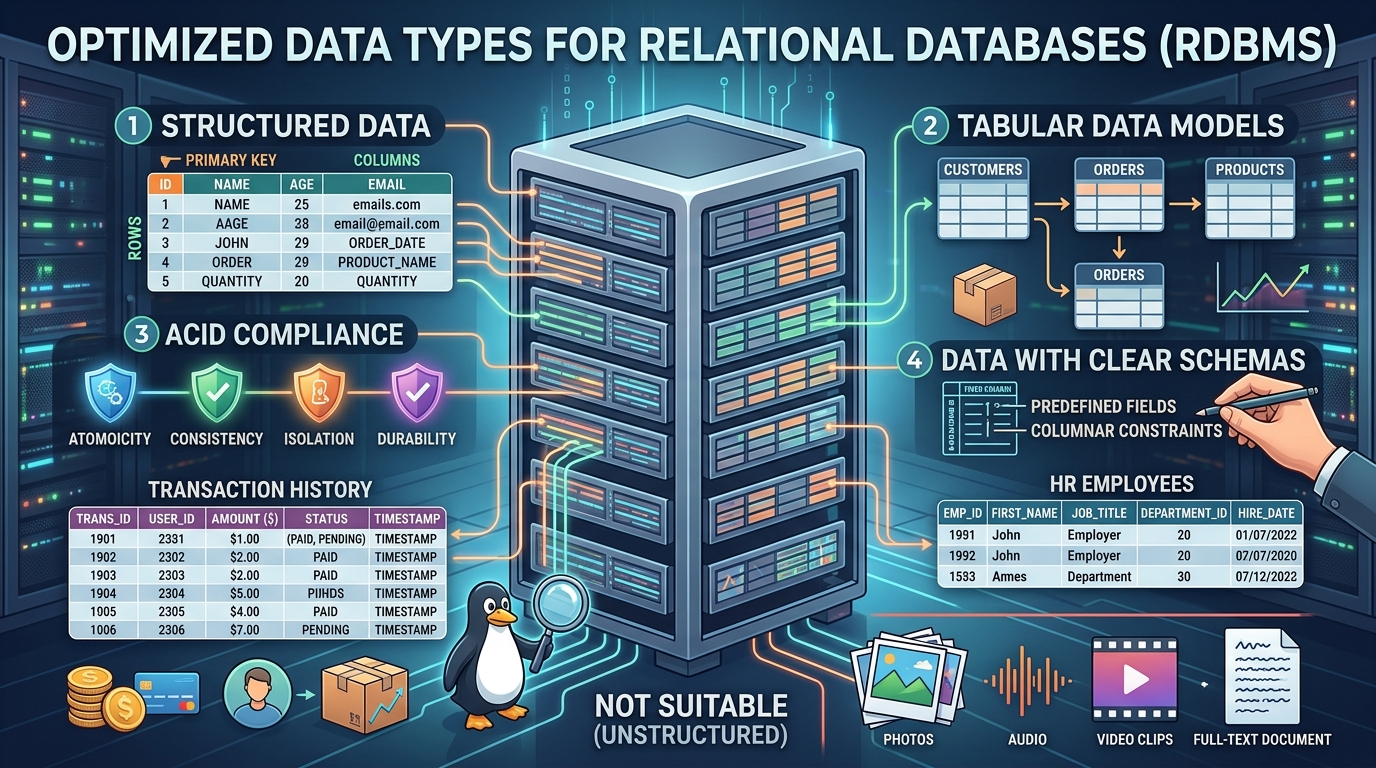
Data lies at the core of modern business intelligence and application functionality, making database management a vital competency for Azure practitioners. When designing cloud architectures, organizations must choose between relational and non-relational database models depending on the structure and nature of their data. Relational databases organize data into tables with rows and columns, establishing strict relationships between different data entities and enforcing strong consistency through structural schemas. These systems are ideal for transactional applications, financial systems, and complex queries where data integrity is paramount.
Conversely, non-relational databases, often referred to as NoSQL databases, are designed to handle unstructured, semi-structured, or rapidly changing data formats without relying on rigid table schemas. NoSQL databases excel at storing massive volumes of diverse data such as user profiles, internet of things telemetry streams, catalog information, and real-time analytics data. Azure provides fully managed options for both database paradigms, relieving database administrators from the tedious tasks of hardware provisioning, software patching, backup scheduling, and database tuning, while guaranteeing high availability and enterprise-grade performance.
Azure SQL Database and Cosmos DB Explained
Azure SQL Database is Microsoft’s flagship fully managed relational database service built on the battle-tested Microsoft SQL Server engine. It delivers predictable performance across multiple deployment options, ranging from single databases with dedicated resources to elastic pools that share resources across multiple databases. Azure SQL Database automatically handles infrastructure updates, automated backups, threat detection, and performance tuning, enabling developers to build robust, scalable applications with minimal administrative overhead. Furthermore, it offers built-in high availability guarantees and seamless scalability, allowing databases to scale up or down dynamically based on workload fluctuations.
For globally distributed non-relational workloads, Azure Cosmos DB stands as Microsoft’s globally distributed, multi-model database service. Cosmos DB was architected from the ground up to provide planet-scale distribution, low latency, and tunable consistency models. It natively supports multiple data models, including document, key-value, graph, and column-family data, using popular APIs such as SQL, MongoDB, Cassandra, and Gremlin. With Azure Cosmos DB, developers can replicate their data across any number of Azure regions worldwide with a single click, ensuring that global applications deliver lightning-fast response times to users regardless of their physical location.
Security, Compliance, and Identity Management
Microsoft Entra ID (Formerly Azure Active Directory)
Security is the single highest priority for any cloud deployment, and Microsoft Azure approaches security through a comprehensive, multi-layered defense strategy. At the center of Azure’s security architecture is Microsoft Entra ID, formerly known as Azure Active Directory. Microsoft Entra ID is a cloud-based identity and access management service that manages user identities and controls access to local and cloud-based applications, such as the Azure Portal, Microsoft 365, and thousands of third-party software-as-a-service applications. It provides robust authentication mechanisms, including multi-factor authentication, self-service password management, and conditional access policies that evaluate user risk, device compliance, and location before granting access to sensitive enterprise data.
In addition to managing user identities, Microsoft Entra ID supports enterprise-to-enterprise federation, role-based governance, and seamless integration with existing on-premises active directory environments through synchronization tools. By establishing a centralized identity perimeter, organizations can ensure that only authorized personnel have access to specific Azure resources, dramatically reducing the risk of data breaches caused by compromised credentials. Identity protection features within Entra ID actively monitor for suspicious sign-in activities, leaked credentials, and anomalous user behavior, automatically remediating threats or triggering multi-factor verification challenges in real time.
Role-Based Access Control (RBAC) and Security Center
Securing cloud environments requires meticulous control over who can perform specific actions on individual resources. Azure Role-Based Access Control is a authorization system built into Azure Resource Manager that provides fine-grained access management for cloud resources. RBAC allows administrators to assign specific roles to users, groups, and service principals, dictating whether an identity has permission to read, write, modify, or delete particular resources. Azure includes several built-in roles, such as Owner, Contributor, and Reader, and also enables organizations to create custom roles tailored precisely to their internal security policies and operational requirements.
Complementing access control is Microsoft Defender for Cloud, an advanced cloud security posture management and threat protection system. Defender for Cloud continuously assesses the security state of your Azure resources, offering actionable recommendations to harden your infrastructure against emerging vulnerabilities. It monitors virtual machines, databases, and storage accounts for malicious activity, alerting security operations teams to potential breaches, brute-force attacks, or unauthorized configuration changes. By combining Microsoft Entra ID, granular RBAC policies, and Defender for Cloud, organizations can maintain a fortified security posture and achieve strict regulatory compliance across global jurisdictions.
Pricing Models, Cost Management, and Optimization
Understanding the Pay-As-You-Go Model
Transitioning to the cloud introduces a fundamental shift in how organizations budget for and consume technology infrastructure. Moving away from rigid capital expenditure models, Azure operates primarily on an operational expenditure model governed by a flexible pay-as-you-go pricing structure. Under this consumption-based model, organizations do not purchase physical hardware or long-term software licenses upfront. Instead, they incur costs based on the exact quantity of computing, storage, networking, and database resources they consume over a given billing cycle, calculated down to the second or minute depending on the specific service.
While this flexibility empowers businesses to scale rapidly and eliminate waste, it also requires proactive financial governance to prevent unexpected budget overruns. Azure provides comprehensive cost management and billing tools designed to track spending in real time, analyze historical consumption patterns, and forecast future expenditures. Administrators can set up custom budgets and automated alerts that notify finance and engineering teams when spending reaches specific thresholds, ensuring complete financial visibility and accountability across all departments and projects within the organization.
Tips for Keeping Your Cloud Bill Under Control
Effective cloud cost optimization is an ongoing discipline that requires regular review of resource utilization and proactive configuration adjustments. Implementing best practices for cost governance ensures that organizations maximize the return on their cloud investments without compromising performance or reliability. Consider the following strategies to keep your Azure cloud bill optimized and under control:
- Right-Size Underutilized Resources: Regularly analyze virtual machine and database performance metrics to identify over-provisioned instances, scaling them down to smaller sizes when peak performance is not required.
- Leverage Reserved Instances: Commit to one-year or three-year terms for predictable, steady-state workloads in exchange for substantial discounts compared to pay-as-you-go rates.
- Automate Decommissioning: Establish schedules to automatically turn off non-production virtual machines, such as development and testing environments, during nights and weekends when they are not in use.
- Utilize Azure Hybrid Benefit: Apply existing on-premises Windows Server and SQL Server licenses with Software Assurance to Azure virtual machines and databases, significantly reducing licensing costs.
- Establish Tagging Policies: Enforce resource tagging conventions across all departments to track ownership, project codes, and cost centers accurately for detailed chargeback reporting.
Real-World Applications and Global Career Opportunities
How Businesses Leverage Azure Globally
Microsoft Azure powers mission-critical applications across every major industry vertical, from global financial institutions processing millions of secure transactions per second to healthcare providers analyzing complex genomic data securely. Enterprises rely on Azure’s expansive global footprint to deploy applications locally while maintaining centralized governance and compliance. For instance, multinational corporations often establish robust delivery pipelines to deploy enterprise software through specialized partners offering DevOps Services in Dubai, ensuring that regional subsidiaries benefit from localized technical excellence combined with global cloud infrastructure standards.
Retail giants utilize Azure’s scalable compute and advanced analytics capabilities to handle massive traffic spikes during global shopping events like Black Friday, seamlessly scaling infrastructure up and down without a hitch. Meanwhile, media and entertainment companies leverage Azure’s high-performance storage and media services to encode, store, and stream high-definition video content to millions of concurrent viewers worldwide. The versatility and reliability of Azure make it the preferred cloud partner for businesses seeking digital transformation, operational resilience, and agile software delivery across diverse international markets.
Career Pathways and Certifications
As cloud adoption accelerates across global markets, the demand for certified Microsoft Azure professionals has reached unprecedented heights. Organizations are actively seeking skilled engineers, architects, and administrators who can design, deploy, and manage secure cloud environments. Microsoft offers a structured, role-based certification pathway that validates technical proficiency at every stage of a professional career, starting from fundamental concepts and advancing to expert-level architecture and security design.
- Azure Fundamentals (AZ-900): Designed for beginners, this certification validates foundational knowledge of cloud concepts, core Azure services, security, privacy, compliance, and pricing models.
- Azure Administrator Associate (AZ-104): Targeted at system administrators, this exam tests the ability to manage Azure subscriptions, storage, virtual networks, and identities.
- Azure Developer Associate (AZ-204): Focused on software engineers, validating skills in designing, building, testing, and maintaining cloud applications and services on Azure.
- Azure Solutions Architect Expert (AZ-305): An advanced certification for experienced professionals, validating expertise in designing robust, secure, and scalable cloud solutions across compute, network, storage, and security.
Understanding Regional Compensation Trends
The rapid expansion of cloud computing has triggered a surge in demand for specialized technical talent, creating lucrative career opportunities for skilled professionals worldwide. In dynamic technology hubs, compensation packages vary depending on local market dynamics, specialization, and experience levels. For instance, professionals evaluating the regional job market often analyze factors such as the prevailing Linux dubai salary benchmarks alongside specialized engineering rates to understand their earning potential in thriving international metropolitan areas.
Furthermore, businesses operating in these fast-paced economic centers continuously invest in top-tier technical expertise to maintain competitive advantages. Companies frequently look beyond internal staffing by partnering with external specialists, ensuring they have access to the Best tech support dubai has to offer for maintaining complex, hybrid cloud environments and ensuring uninterrupted business continuity. As cloud technologies continue to mature, individuals who invest in continuous learning and acquire recognized Azure certifications will find themselves uniquely positioned for long-term career growth, high earning potential, and exciting professional challenges in the global digital economy.
Conclusion: Your Azure Journey Starts Today
Microsoft Azure represents a transformative gateway into the future of technology, offering an unmatched breadth of services, global infrastructure, and enterprise-grade security. Throughout this guide, we have explored the foundational concepts of cloud computing, navigated the architectural hierarchy of regions and resource groups, examined core compute, storage, and networking services, and delved into vital security and cost optimization strategies.
Cloud mastery is not achieved overnight, but rather through consistent curiosity, hands-on experimentation, and practical application. By setting up your free Azure account, exploring the Azure Portal, and engaging with community resources and certification pathways, you are taking the first definitive steps toward becoming a proficient cloud practitioner. Whether you are an aspiring developer, a seasoned system administrator, or a business leader driving digital transformation, the cloud offers limitless possibilities. Embrace the learning journey, start building today, and unlock the full potential of Microsoft Azure.